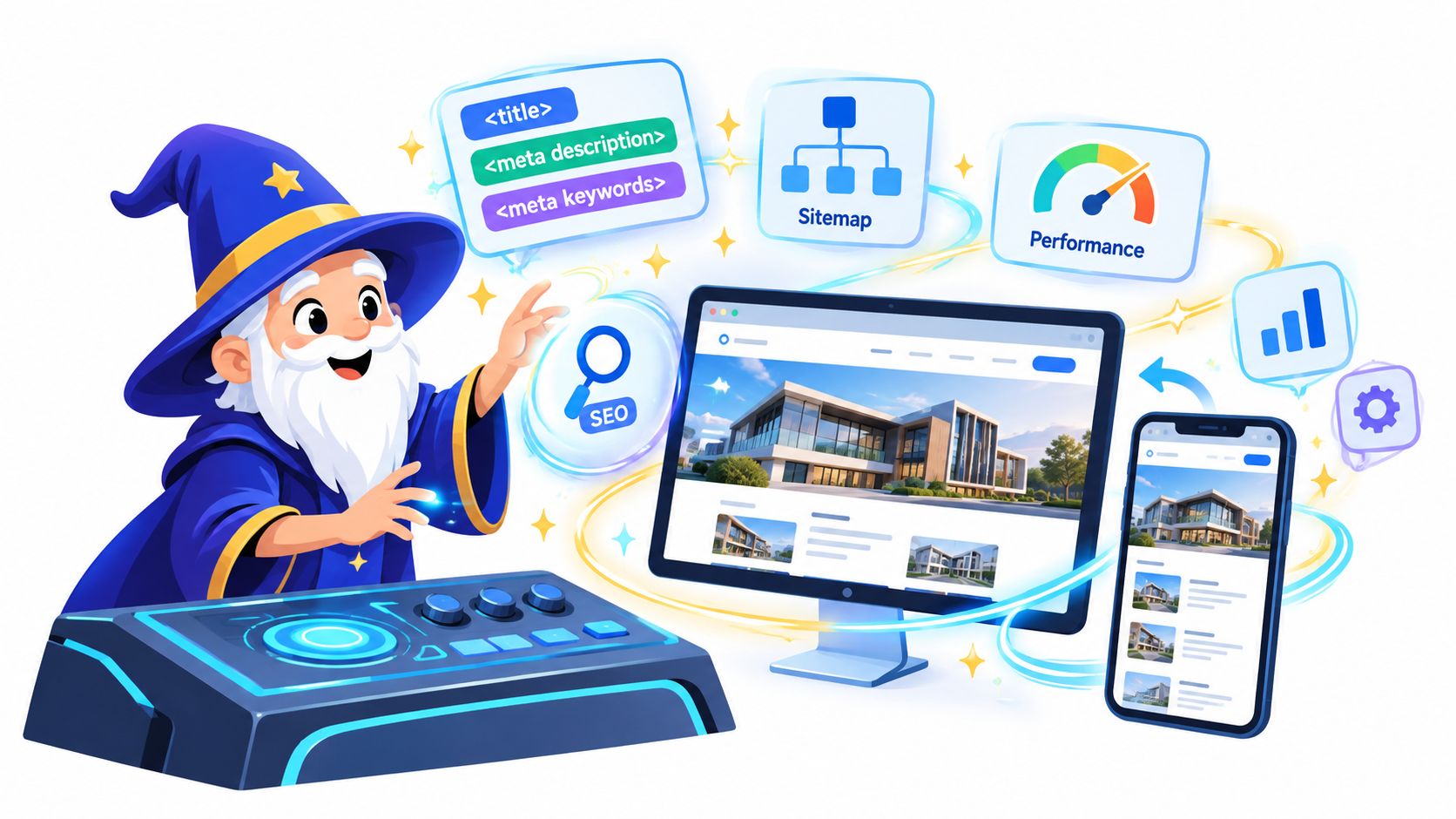
You've launched a beautiful website. The colors are right, the copy sounds like you, and the contact form works. Yet when potential customers search for what you offer, your site seems to have vanished into a foggy forest. You keep adjusting titles, adding keywords, and opening mysterious settings panels, but visibility remains stubbornly elusive.
That's the old model of website builder SEO: a checklist of boxes waiting for a tired human to remember them. The newer model is more like a magical ecosystem, where autonomous agents watch the site, repair technical problems, and adapt its pages as search changes. Let's explore how that enchantment works, from mobile rendering and performance to structured data and AI-generated answers.
Table of Contents
- The Invisible Website and the Need for SEO Magic
- Shape-Shifting Layouts for Mobile-First Indexing
- Taming Core Web Vitals with Performance Sprites
- Casting Metadata and Structured Data Spells
- Optimizing for AI Overviews and Zero-Click Searches
- Choosing an Autonomous Builder Over Manual Templates
The Invisible Website and the Need for SEO Magic
A small business owner can do everything that feels important and still miss the mechanics that help search engines discover and interpret a site. A polished homepage may lack a useful title, a service page may be difficult to crawl, and a new image may weigh down the whole mobile experience. None of these problems announces itself with thunder and purple smoke. The website stays quiet.
Traditional builders often put SEO into separate fields and static settings. You enter a title, perhaps write a description, generate a sitemap, and hope the configuration survives the next redesign. That approach treats SEO as a spell cast once at launch, even though pages change, links break, scripts accumulate, and search systems evolve.

An autonomous system works differently. A crawler can inspect pages repeatedly, identify missing or duplicated metadata, find broken internal links, and flag content that search engines can't easily reach. The useful mental model is a household of resident wizards. One watches discoverability, another guards speed, and another studies visitor behavior before suggesting the next repair.
Practical rule: A website shouldn't receive its SEO enchantment only on launch day. It needs regular observation because the site itself keeps changing.
That doesn't mean an agent can replace judgment. Search visibility still depends on relevant content, clear structure, useful internal links, and pages that satisfy real search intent. Automation handles repetitive maintenance so founders can spend more time deciding what the business should say and less time hunting through obscure panels.
If you want to understand the foundation beneath that process, this guide to crawling and indexing in SEO is a useful companion. The central lesson is simple: technical SEO is the habitat in which content lives. A builder that creates attractive pages but ignores crawlability, rendering, and maintenance has decorated the castle without building a road to it.
Shape-Shifting Layouts for Mobile-First Indexing
Responsive design began as a way to let one site adapt to different screens. Ethan Marcotte coined the term responsive web design in 2010, describing fluid grids, flexible images, and CSS media queries, while media-query support became more broadly established after W3C standardization work in 2012. The concept now feels ordinary, but the SEO requirement behind it remains demanding.
Google's mobile-first indexing means the mobile version supplies the information used for indexing and ranking. A shape-shifting website therefore must preserve its important content when it changes form. A compact phone layout can rearrange sections, but it shouldn't remove the primary copy, links, images, titles, descriptions, robots meta tags, or structured data available on desktop. Google's mobile-first indexing guidance explains why equivalent primary content matters.
The mobile spell must expose the whole page
A builder should generate crawlable HTML rather than hiding important information inside interactions that a crawler may never perform. Google specifically warns against lazy-loading primary content only after a visitor swipes, clicks, or types. If a service description appears only after a user action, Googlebot may not trigger that action, leaving the content outside the effective index.
That creates a common confusion. Lazy-loading media below the fold can be sensible, but lazy-loading the main answer, product details, or navigation links behind an interaction is a different incantation. The first improves delivery. The second can conceal the very material you want search engines to understand.
A strong builder should check mobile output as a complete document:
- Primary content: Important text appears without requiring a tap or swipe.
- Responsive media: Images resize appropriately instead of forcing awkward horizontal scrolling.
- Crawlable links: Navigation and contextual links remain available in the rendered page.
- Consistent signals: Titles, descriptions, structured data, and meaningful images match the desktop version.
Responsive design is more than visual polish
HTTP Archive's 2024 Web Almanac found that only 38% of mobile home pages achieved a good overall Core Web Vitals result, compared with 45% of desktop home pages. For secondary pages, the figures were 51% on mobile and 61% on desktop. These results show why a page that looks acceptable in a design preview may still need serious engineering attention on a phone. The Google page-experience documentation also directs publishers to monitor mobile usability, intrusive interstitials, and page performance.
The apprentice's test is therefore not “Does this template shrink?” Ask instead: Does the same SEO meaning survive the transformation? If the answer is yes, responsive generation is doing technical work. If it only changes the costume while hiding the content, the spell is decorative.
Taming Core Web Vitals with Performance Sprites
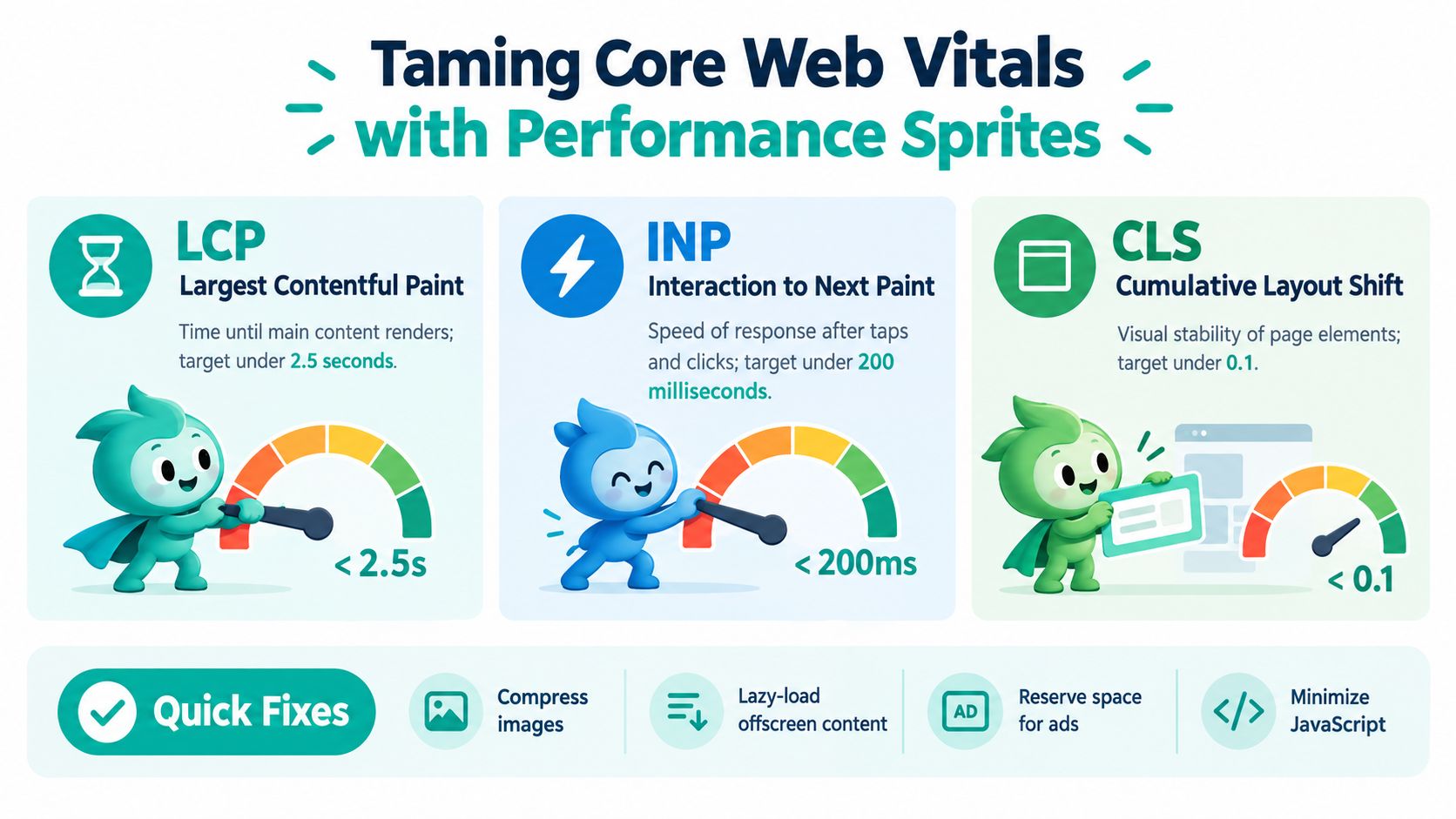
A page can feel fast in a quiet office and perform poorly for real visitors. Core Web Vitals turn that vague sensation into measurable engineering targets. Google defines LCP for loading performance, INP for responsiveness, and CLS for visual stability, with recommended good thresholds of 2.5 seconds or less, 200 milliseconds or less, and 0.1 or less, respectively, according to Google's Core Web Vitals documentation.
Three gauges, three different problems
Largest Contentful Paint asks how quickly the main visible content renders. A heavy hero image, slow server response, or bloated stylesheet can delay it. A performance sprite should serve appropriately sized images, compress assets, improve caching, and prioritize the content visitors need first.
Interaction to Next Paint measures how quickly the page responds after a tap or click. Excessive JavaScript, third-party widgets, and long tasks can make a button feel bewitched by a sleeping dragon. Reducing script work and deferring noncritical code helps the browser respond sooner.
Cumulative Layout Shift measures whether page elements jump around while loading. An image without reserved dimensions, a late-loading font, or an injected advertising slot can move the text just as someone tries to read it. Reserving space for media and fonts protects both usability and visual stability.
Google classifies LCP above 4 seconds, INP above 500 milliseconds, and CLS above 0.25 as poor. Values between the good and poor thresholds need improvement, as described in Google Search Console's Core Web Vitals report.
Why the sprite needs a rolling watch
Search Console evaluates these measurements at the 75th percentile of page requests over the previous 28 days. That means a one-time laboratory audit isn't enough. A site can pass before a new video player, analytics script, or image library arrives, then drift into trouble as the content grows.
The same Web Almanac measured good overall Core Web Vitals on only 43% of websites when INP replaced FID, down from 48% under the earlier FID-based measurement. It also found that only 42% of mobile websites had good Time to First Byte, while 40% needed improvement and 19% were poor. Those figures make automated monitoring practical rather than ornamental.
A speed score is a snapshot. Real-user performance is the weather report your site needs.
An autonomous optimizer should prioritize pages failing field thresholds, apply changes such as image compression and script reduction, and then observe real-user distributions after deployment. Passing Core Web Vitals won't guarantee strong rankings. Relevance, content quality, crawlability, and internal linking still matter. The sprite keeps the roads clear, but it doesn't decide where the kingdom should travel.
For implementation ideas, see this practical guide to optimizing website speed.
Casting Metadata and Structured Data Spells
Search engines can read a page, but they still need clear signals about what the page represents. Metadata and structured data act like translation spells. They turn a visually obvious product, organization, recipe, or service into machine-readable context.
Start with the HTML title element. Google requires every page to have a title and recommends titles that are descriptive, concise, distinct, and written in the same language and writing system as the page's primary content. A nightly SEO Seer can identify missing, duplicated, or generic titles, then suggest wording based on the actual page rather than stamping the same brand phrase across every URL. Google's guidance on creating good title links supports that page-level approach.
Give every page its own name
A title such as “Services | Acme” tells a searcher more than “Home | Acme” pasted across the site. The system should inspect the page subject, keep the wording natural, and avoid promises the page doesn't fulfill. Meta descriptions can help summarize the page, but they shouldn't become a warehouse for repeated keywords.
A useful automated check looks for:
- Missing titles: A page needs a clear subject before it can communicate that subject well.
- Duplicates: Similar templates shouldn't produce identical titles for distinct pages.
- Mismatch: The title should reflect the visible content, not an abandoned draft or old offer.
- Language alignment: The wording should match the page's audience and primary language.
Let structured data describe the object
Structured data adds properties to the page's meaning. Google supports JSON-LD, Microdata, and RDFa, while recommending JSON-LD for implementation. Valid markup can make a page eligible for richer search appearances involving products, prices, availability, ratings, shipping information, recipes, or organization details.
Eligibility isn't a ranking guarantee. Structured data helps Google interpret content and may produce a richer result, but it can't rescue irrelevant or low-quality material. Values must match visible text, required properties must be present, and the markup should be tested with Google's Rich Results Test and URL Inspection. The structured data policies also make clear that inaccurate information, outdated values, spam-policy violations, or missing fields can remove rich-result eligibility.
Translation rule: Never let schema claim what the page doesn't show.
An automated builder can regenerate and validate JSON-LD after every content edit, check whether a product price changed, and monitor Search Console enhancements. That turns structured data from a forgotten code fragment into a maintained description of the page. The magic works because the spell stays synchronized with reality.
Optimizing for AI Overviews and Zero-Click Searches
A searcher asks Google a question. Before your page can invite a click, an AI answer may already have spoken. For site owners using a builder, that changes the spellbook. SEO now has to help a page become both a source the answer can draw from and a destination worth visiting after the answer appears.
Pew Research Center analyzed browsing behavior from 900 U.S. adults in March 2025. On Google pages containing an AI Overview, users clicked an external search result 8% of the time, compared with 15% when no AI Overview appeared. Users also ended their browsing session on 26% of AI-Overview pages, versus 16% of conventional results pages, as reported in this Pew-based analysis.
So the scoreboard has changed. A ranking report alone misses the true contest, because the page may influence the answer even when it earns fewer visits.
A capable builder should track three goals at once:
- Answer visibility: Can the page offer a concise, extractable explanation that an AI system can parse without guesswork?
- Brand exposure: Does that explanation clearly connect the topic to an organization, author, product, or service?
- Qualified action: Do branded searches, direct visits, email sign-ups, assisted conversions, or visits to commercial pages show that search visibility still leads somewhere useful?
Analysts at Semrush and Datos reported that AI Overviews appeared on 13.14% of U.S. desktop searches in March 2025, up from 6.49% in January, with 88.1% of triggered queries being informational. That pattern matters because informational pages may win citations and memory, while commercial pages often serve the smaller group that keeps going and compares options.
The ecosystem metaphor helps here. Your homepage is not the lone wizard. It works alongside smaller agents. One page answers the beginner's question cleanly. Another page carries proof, examples, or original evidence. Another guides the visitor toward selection, pricing, or contact. If the builder treats every page as an isolated template, the site becomes a pile of scrolls. If it coordinates them, the site acts like a living guild.
The writing itself needs to support that system. Use clear entities, concise answer blocks, original evidence, recognizable authorship, and paths that lead readers toward the next intent. Repeating a keyword is a weak charm. A stronger page explains “what is this?” plainly, then helps the reader ask “which option fits me?” and reach that answer without confusion.
Here's a short visual reminder of the shift from ranking alone to visibility plus action:
An autonomous SEO system should report impressions alongside branded searches, citation presence, assisted conversions, direct traffic, and first-party capture. The apprentice who watches only organic sessions may miss the deeper win, the brand becoming part of the answer itself.
Choosing an Autonomous Builder Over Manual Templates
Choosing a builder is less like picking a paint color and more like hiring a guild. A manual template builder hands you the workshop keys and a broom. An autonomous builder adds resident wizards and sprites that keep patrolling after launch, catching small SEO problems before they turn into silent invisibility.
The trade-off is ongoing labor. Manual systems offer direct control, but they also leave your team responsible for recurring checks, fixes, and updates. Autonomous systems shift much of that routine work to agents, while humans still handle strategy, judgment, and the quality of what the site says.
| SEO Feature | Manual Template Builder | Autonomous AI Builder |
|---|---|---|
| Metadata | You fill and revisit page fields | An agent audits titles and descriptions on a recurring cycle |
| Broken links | You discover and repair them manually | A crawler identifies and repairs eligible internal-link problems |
| Performance | You run occasional audits | A performance agent compresses assets, lazy-loads media, and reduces bloat |
| Content changes | You edit pages one by one | Chat-based commands can apply changes across pages |
| Testing | You arrange variants and compare results | The system can draft variants, allocate traffic, and promote winners |
| Analytics | You interpret reports yourself | An analytics agent surfaces drop-offs and prioritized fixes |
Neither path is automatically wiser. A template can serve a disciplined team well if someone understands the controls and keeps up with maintenance. The sharper question is simpler: who will still be tending the site a month after launch, and what happens when that person gets busy?
A practical selection test helps clear the fog. Ask the vendor to show the workflow in action, not only the editor polish.
- Create a page from a plain-language prompt. Does it produce a useful page structure, readable copy, fitting images, and responsive styling?
- Change the offer. Can the system update related pages without leaving stale titles, links, or schema behind?
- Inspect mobile output. Does the key content stay crawlable without extra taps or hidden interactions?
- Review field performance. Can you see real-user Core Web Vitals and a clear list of prioritized fixes?
- Test a conversion idea. Does the builder support variants, traffic allocation, and measurement without a tower of extra plugins?
That last point matters more now because search visibility behaves less like a fixed ranking chart and more like a living ecosystem. AI-generated answers, changing page summaries, and shifting user journeys reward systems that can keep adapting. A static template is a bookshelf. An autonomous builder is a librarian with a night staff.
Web Mage is one example of this autonomous approach, and its fit for smaller teams is explored in this guide to choosing an AI website builder for a small business. It generates pages and funnels from plain-language prompts, includes agents for SEO, performance, analytics, and conversion testing, and provides managed hosting with SSL under its own plan. Its SEO Seer monitors metadata and links. Its Speed Sprite handles asset and loading optimizations.
Choose the system that matches your appetite for maintenance. A solo founder may want fewer technical rituals. An agency may care more about repeatable controls across client sites. An e-commerce team may focus on product structure, speed, and conversion experiments. The right builder keeps the site understandable, measurable, and healthy after launch, not just attractive on day one.