
An automated website builder turns a plain-language prompt into a complete, hosted site, then uses autonomous agents to optimize it on a recurring cycle. That ongoing work matters more than the first flashy page: a site has to stay discoverable, fast, useful, and trustworthy after launch, not merely look finished on day one.
In the United States, 18% of surveyed small businesses still had no website in a March 2025 survey, and the share without one was higher among the smallest firms (small-business website adoption figures). For many founders, the obstacle isn't knowing they need a website. It's facing the spellbook: copy, layout, hosting, search optimization, performance, and upkeep all seem to require separate skills.
The promise of an automated builder is to reduce that pile of incantations. But prompt-to-page magic is only the opening spell. The useful question is what happens after the site goes live, when visitors arrive, pages change, and the work of maintaining the experience begins.
Table of Contents
- What an Automated Website Builder Actually Does
- From Hand-Coded HTML to Prompt-to-Page Magic
- Template Builders vs Automated Builders
- The Resident Agents That Run Your Workshop
- Where the Magic Breaks and Why Honesty Matters
- Who Gets the Most Out of Automated Builders
- Casting Your First Site in Four Steps
- The Honest Future of Automated Site Building
What an Automated Website Builder Actually Does
A small-business owner knows what she sells and who needs it, but not how to write HTML, compose a landing page, or tune images for speed. An automated website builder lets her describe the business in everyday language, then generates a working site with pages, copy, imagery, styling, and hosting. Instead of opening a blank canvas and assembling every section, she starts with a draft she can review and revise through chat.
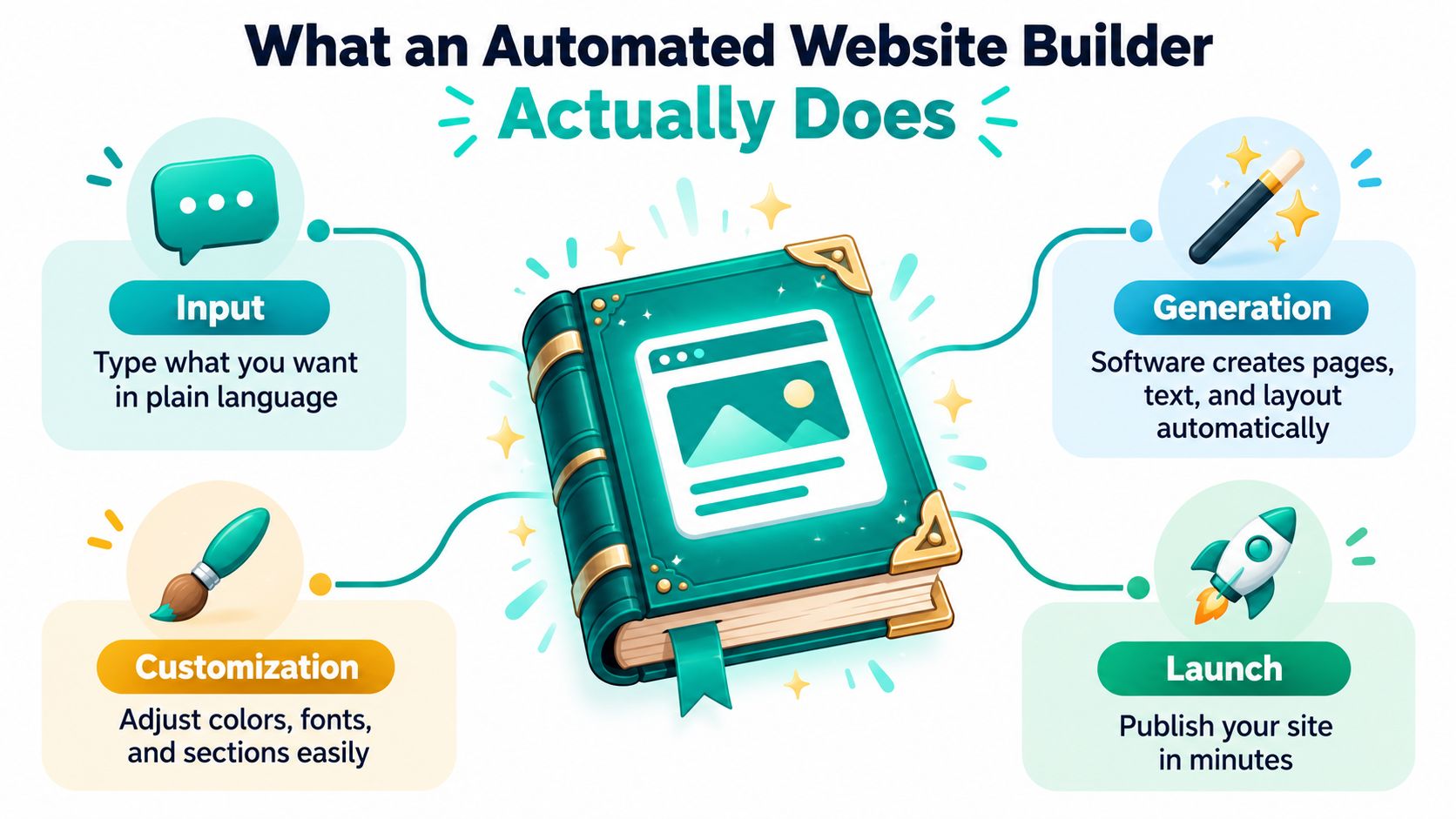
Think of the builder as an apprentice mage. Your prompt is the spell, the generated site is the first completed workshop, and the resident agents are familiars that keep watch after you leave. A vague instruction such as “make a website for my business” gives the apprentice little to work with. A clearer prompt names the audience, the offer, the desired tone, and the action visitors should take.
Three layers of the spell
The first layer is generation at launch. The builder turns your description into a site structure and initial content. Some tools can assemble connected funnel pages, such as a landing page, checkout, upsell, and thank-you page, rather than just a standalone homepage.
The second layer is optimization after launch. Recurring agents can check search metadata, page performance, and visitor behavior, then recommend or apply changes within defined limits. The third layer is editing on demand. Instead of hunting through layout controls, you can ask for a change in plain language, such as making the call-to-action clearer or adjusting the tone of a section.
The useful distinction: A site creator makes the first version. A site maintainer keeps improving it.
That doesn't mean the system should make every decision without you. It means routine work can be handled automatically while important questions, like whether a claim is accurate or a page is accessible, still receive human attention.
From Hand-Coded HTML to Prompt-to-Page Magic
Today's prompt-driven site builders are the latest turn in a long effort to make publishing online less technical. Each generation of tools removed a different chore. First came the need to write page code by hand. Then came the need to arrange every element visually. Now builders can take a plain-language description and generate much of the structure and content for you.
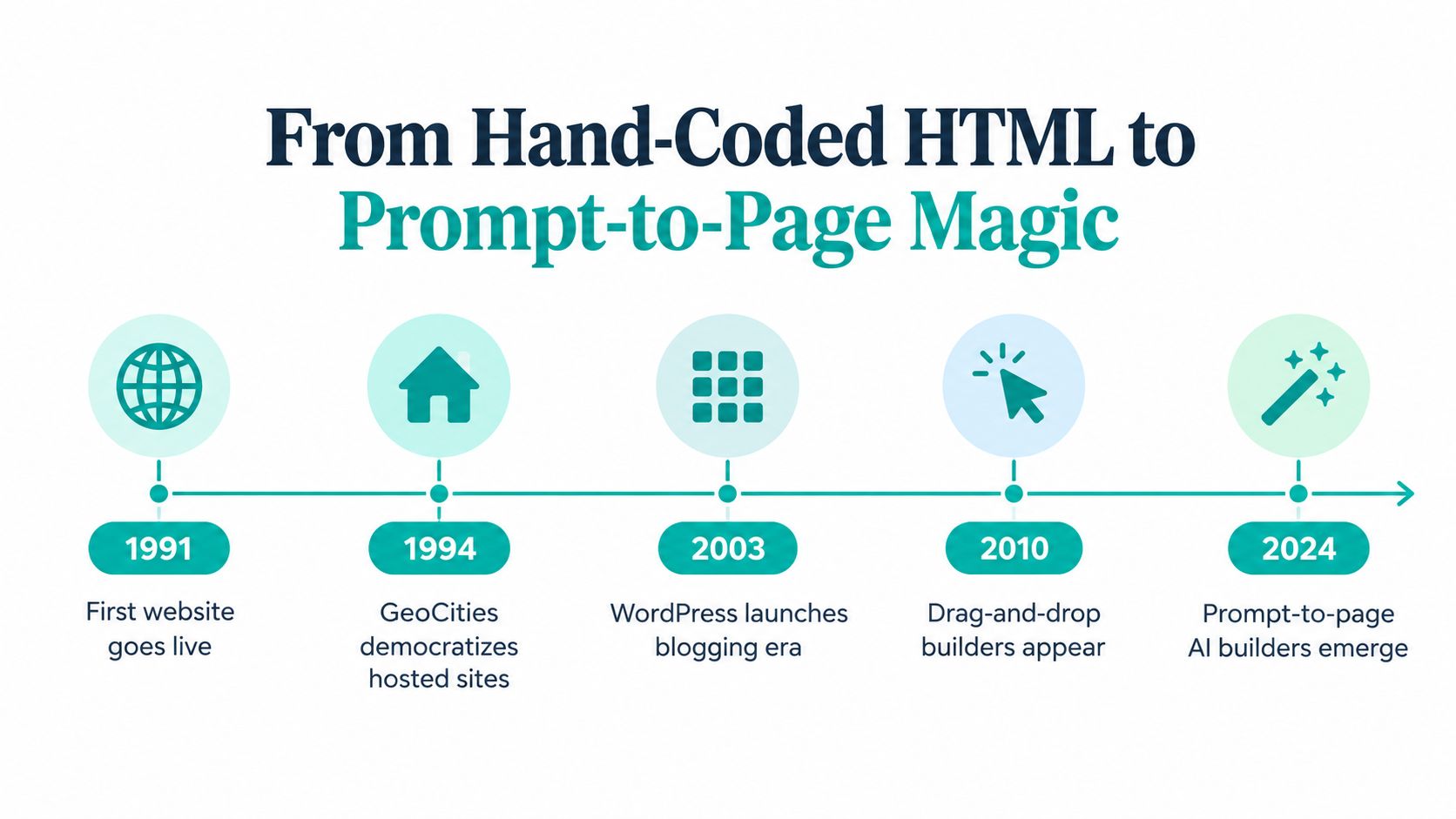
The milestones show why automation isn't a sudden invention. The first website went live in 1991, establishing the technical foundation for browser-based publishing. GeoCities, launched in 1994, helped users create hosted personal sites. The World Wide Web Consortium was established in 1995, the same year early WYSIWYG editor WebMagic emerged. Microsoft FrontPage followed in 1996–1997, and Adobe Dreamweaver launched in 1997, letting people work visually while retaining access to code. These developments are documented in a history of website-building tools.
Each generation removed a different barrier
WYSIWYG means “what you see is what you get.” In practical terms, the editor displays a visual representation of a page while you build it. That's less intimidating than writing every HTML element manually, but users still have to make design and layout choices themselves.
Cloud-hosted builders pushed the process further. Squarespace entered the market in 2004, and Wix launched in 2006 with drag-and-drop site creation. Instead of writing code, users arranged elements on a canvas. The work shifted from coding to visual manipulation.
Prompt-to-page tools extend that visual-editor idea. Rather than asking you to place each box, they interpret an outcome described in ordinary language and generate page structure, text, imagery, styling, hosting, and optimization workflows. The history is a steady reduction in the abstractions users must handle: code, then layout, then fewer design decisions to make manually.
Here's a short visual companion to that evolution:
Template Builders vs Automated Builders
Template tools and automated builders can both produce a website. The difference is how much of the work they ask you to do, and whether anything continues working after launch. A template builder gives you a prepared room and lets you arrange the furniture. An automated builder tries to furnish it from your instructions, then sends familiars back to tidy up.
| Dimension | Template Builder | Automated Builder |
|---|---|---|
| Input method | Drag-and-drop and visual controls | Natural-language instructions |
| Editing experience | Adjust sections on a canvas | Request copy or visual changes through chat |
| Initial setup | Choose a template and assemble the pages | Generate a draft from a description |
| Post-launch work | Owner follows manual review tasks | Agents can run recurring checks and interventions |
| Design control | Hands-on control over individual elements | Faster generation, with less direct control over every detail |
The daily agent loop is the more meaningful difference. A prompt can produce a polished first draft, but a live site still needs its links checked, metadata maintained, and performance monitored. Without ongoing work, an AI-built page can become just another neglected site, only with more confident-looking copy.
Which kind fits your workshop?
Template builders remain a sensible choice for designers who want close control over individual pixels and enjoy shaping every detail themselves. They can also suit a team that already has a maintenance process and wants a visual design environment.
An automated builder is a better fit when the founder wants to describe a finished outcome, edit through conversation, and reduce routine post-launch checks. For a fuller look at that no-code approach, see this guide to a no-code website builder.
The label “AI-built” can be misleading if it only means a machine made the first page. The more useful test is whether the tool helps you operate the site afterward, and whether its automatic changes can be checked, reversed, or escalated.
The Resident Agents That Run Your Workshop
Once the site is live, the resident agents can work like a small maintenance crew. Each one should have a clear job, a measurable target, and rules about when to stop or ask a human for help. The names may sound enchanted. The work should still be practical and auditable.

Search and speed familiars
The SEO Seer can crawl a site on a recurring schedule, flag broken links, and review titles and meta descriptions. Search engines discover pages through links, so the agent should check that links use crawlable HTML anchors with an href, and that pages can be reached from other discoverable pages. Google's crawlable-link guidance explains why script-only links or missing href attributes can be difficult for crawlers to extract.
The Speed Sprite watches how quickly the main content appears to real visitors. Google defines Largest Contentful Paint, or LCP, as the time it takes the largest visible content element to render. A good LCP is 2.5 seconds or less at the 75th percentile of visits, while an LCP above 4 seconds is poor (Google's LCP guidance). The sprite can respond to slow pages by compressing images, lazy-loading media, caching resources, or removing unnecessary assets. After a substantial change, it should measure again rather than assume the fix worked.
Analytics and conversion familiars
The Analytics Oracle reads traffic patterns and surfaces where visitors leave, which sections attract attention, and which pages may need review. It can point a founder toward a question, but the founder still needs to decide whether a change makes sense for the business.
The Conversion Alchemist can draft page variants and route visitors between them, but it should follow a planned experiment, not promote whichever version happens to lead early. A trustworthy setup defines the outcome, sets a minimum effect worth detecting, and waits for enough evidence before making a winner permanent.
Google's broader SEO documentation for crawling and indexing also describes how crawlers use links, sitemaps, and redirects to discover pages. That makes recurring checks more useful than a one-time launch audit. Still, an agent should log what it changed, preserve a rollback path, and pause or escalate when a fix might alter meaning, usability, or business-critical behavior.
Where the Magic Breaks and Why Honesty Matters
Automation can catch routine problems, but it can't create reliable evidence where there isn't enough data. A page test that shows one version ahead today may be reflecting chance, not a durable improvement. The danger is a confident agent mistaking a flickering candle for a beacon.
Nielsen Norman Group illustrates the traffic problem: detecting a 2% conversion improvement requires approximately 340,000 users, while detecting a 10% improvement requires about 14,000 users. The figures come from its guide to measuring sales increases with A/B testing. Many small-business funnels won't have enough traffic to test subtle copy changes reliably. In that situation, the agent should prioritize a strong hypothesis, such as fixing a broken checkout step or clarifying confusing pricing, rather than declare a winner from noisy results.
Accessibility is another place where a polished page can hide serious gaps. WebAIM's 2025 Million report found detectable WCAG failures on 94.8% of the top one million home pages. Automated scanners are estimated to catch only 60–70% of WCAG issues, leaving keyboard behavior, screen-reader meaning, focus order, and context-dependent usability for human review (accessibility-tool coverage and limitations).
The judgment machines can't supply
Generated content raises a separate question: will visitors believe it? Capgemini's 2025 consumer research reported that trust in GenAI-written content had fallen to 58%, from 72% two years earlier (Capgemini's consumer research brief). A fluent sentence can still contain an unsupported claim, and an automated rewrite can blur a brand's voice or change what a business appears to promise.
Fire-breathing honesty: A scanner can flag an issue, and an agent can propose a fix. Neither can guarantee that a page makes sense to every person who needs to use it.
Businesses should check claims, provide human accessibility review, and keep a record of meaningful automated edits. For help with the search foundations of a site, consult this guide to website builder SEO. Treat automation as a tireless assistant, not an all-knowing wizard.
Who Gets the Most Out of Automated Builders
The strongest fit is a business that needs a credible site but doesn't want routine updates to become a second job. The value looks different depending on who's holding the wand, so measure whether the site is doing the work that matters to your role.
- Solo founders can start with a launch-ready site rather than assembling every page from a blank canvas. Track the action you need visitors to take, such as inquiry submissions or bookings.
- Agencies and freelancers can use recurring checks to help manage several client sites. Watch whether issues are found and resolved promptly, and keep client approval in the loop for visible changes.
- Course creators and coaches often need a connected path from landing page to checkout and follow-up. Measure completed purchases or registrations, not just visits to the first page.
- E-commerce and direct-to-consumer teams can use testing and analytics to spot friction in product and purchase flows. Keep an eye on completed orders alongside refund or support problems.
- SaaS growth teams can use variants to refine landing pages, provided the experiment has enough traffic and a defined outcome. Monitor qualified sign-ups, not only clicks.
An automated website builder may fit less well if you need exact, pixel-by-pixel control, work under strict review requirements, or already have a strong in-house team managing site experiments and maintenance. Automation shouldn't displace a capable process just to make it look newer.
Web Mage is one option for founders who want to generate pages, copy, imagery, and styling from plain-language prompts, then edit through chat and use recurring agents for site checks. The practical test is simple: choose a business outcome, decide which metric represents it, and see whether the tool helps you improve that outcome without weakening quality or trust.
Casting Your First Site in Four Steps
Treat the first launch like a small, supervised enchantment. You don't need a perfect prompt; you do need enough detail for the builder to understand who the site serves and what visitors should do.
- Write one clear sentence. Name your audience, offer, and desired action. For example, “Build a welcoming landing page for local homeowners who need garden design, and encourage them to book a consultation.” That gives the builder a purpose, not just a subject.
- Review the draft before publishing. Check the voice, facts, prices, promises, and any claims about results. AI-generated text can sound polished while still needing verification. When you need to adjust the wording, this guide on how to edit website text offers a practical starting point.
- Set up the site's address and hosting. Connect a custom domain or use the included subdomain under
.webmage.site, then confirm the site is hosted and SSL is active. Test the pages and calls to action as a visitor would. - Let the agents collect useful evidence. Give recurring checks time to observe the site and identify patterns before you judge whether an intervention helped. Don't mistake the first day's activity for a settled picture.
Before you leave the workshop, check three things: metadata is editable, any split test has a defined primary outcome, and accessibility has a human-review step. Those checks won't make the site perfect, but they help keep the familiars from operating without supervision.
The Honest Future of Automated Site Building
Prompt-to-page generation is useful, but the durable advantage comes from how responsibly a site evolves. The agent loop can take routine chores off a founder's hands. It can't replace evidence, approve every claim, or tell you whether a page works for people using assistive technology.
A stronger working practice pairs automation with provenance controls: verify generated claims, log autonomous edits, and keep human approval for changes that could affect trust or meaning. Track referrals from traditional search separately from those originating in AI tools, so you can distinguish discovery from qualified business results.
The future belongs not to people who let the familiars run wild, but to people who give them sensible boundaries. Let agents handle repeatable checks, and reserve human judgment for credibility, accessibility, and decisions with real consequences. Your next site doesn't need a heroic coding sprint. It needs a clear prompt, a watchful familiar, and a person willing to check the spell.
Want a quicker way to turn a plain-language idea into a working website or funnel? Web Mage generates pages, copy, imagery, and styling, then uses autonomous agents to monitor SEO, performance, analytics, and conversion. Bring it a clear prompt, review what it creates, and keep a human eye on the changes that matter.