
Your homepage headline is stale, your call to action sounds like it was written for a different business, and the page builder has hidden the sentence you need behind three menus and a reluctant drag handle. You know the exact change you want, yet editing website text feels like negotiating with a small, badly trained dragon.
That ritual belongs to the older web. Website text moved from hand-coded static HTML files toward content management systems in the early 1990s. The first websites appeared in 1991, and Roxen Internet Software released one of the earliest CMS applications in 1994, helping separate writing from code editing. Instead of copying flat HTML files through FTP, teams could revise content in a controlled interface, preserve versions, and roll back mistakes. The history of CMS and WYSIWYG editing explains that foundational shift.
Today, the next spell is conversational. You describe the change, an AI editing system applies it, and your website becomes a living draft that can be refined as visitors, search engines, and campaigns reveal what needs attention.
Table of Contents
- Summoning Your First Website Edits
- Casting Chat Commands for Instant Changes
- Weaving SEO Magic into Your Copy
- Testing Your Enchantments for Better Conversions
- Keeping Your Content Spells Active Over Time
- Your Grimoire of Editing Best Practices
Summoning Your First Website Edits
Mara, founder of a small coaching business, once spent an entire lunch break trying to replace “Transform your potential” with something more specific. Her drag-and-drop builder offered a panel for the hero section, another for typography, and a preview that disagreed with the live page. By the time she found the correct text field, she'd forgotten why the original sentence bothered her.
Her first conversational edit sounded different: “Rewrite the homepage hero for career coaches who want practical support during a job transition. Keep the tone warm and direct. Use one headline, one supporting sentence, and a button label that starts with a verb.” The AI didn't ask her to hunt through modules. It translated an intention into usable page copy.
That change reflects the deeper history of website editing. The CMS era made text recoverable and auditable through stored versions. Modern platforms extend that idea by making the instruction itself part of the workflow. You can ask for a revision, inspect the result, and return to an earlier version if the new incantation goes astray.
Treat copy as a living spell
A page isn't finished because someone clicked Publish. Marketing teams revisit website text through recurring review cycles. Content operations research reports that 54% of marketers conduct content audits at least twice a year, which reinforces a practical truth: copy needs maintenance, not ceremonial completion. The content audit statistics report connects editing with ongoing operational work.
AI makes that rhythm easier for a solo founder or a small marketing team. Instead of opening each page to make isolated corrections, you can describe a site-wide intention, such as making product language more concrete or aligning every call to action with a new offer. A human still decides what the business should say. The familiar handles the repetitive rewriting.
Practical rule: Ask AI to change one clear editorial intention at a time, then review the page as a visitor would.
The safest starting point is a low-risk page with a visible problem. Choose a vague headline, an outdated service description, or a paragraph that buries its main point. Save the original version, state the audience and desired action, and ask for a draft before publishing. That gives you a recoverable path from old wording to new wording, without treating your live site like a laboratory with no safety circle.
Casting Chat Commands for Instant Changes
Conversational editing works best when your command gives the AI four ingredients: location, change, audience, and constraints. “Improve this page” is a misty spell. “Rewrite the pricing-page hero for small SaaS teams, keep the existing offer, use plain English, and provide three headline options under one sentence each” gives the model something it can execute.
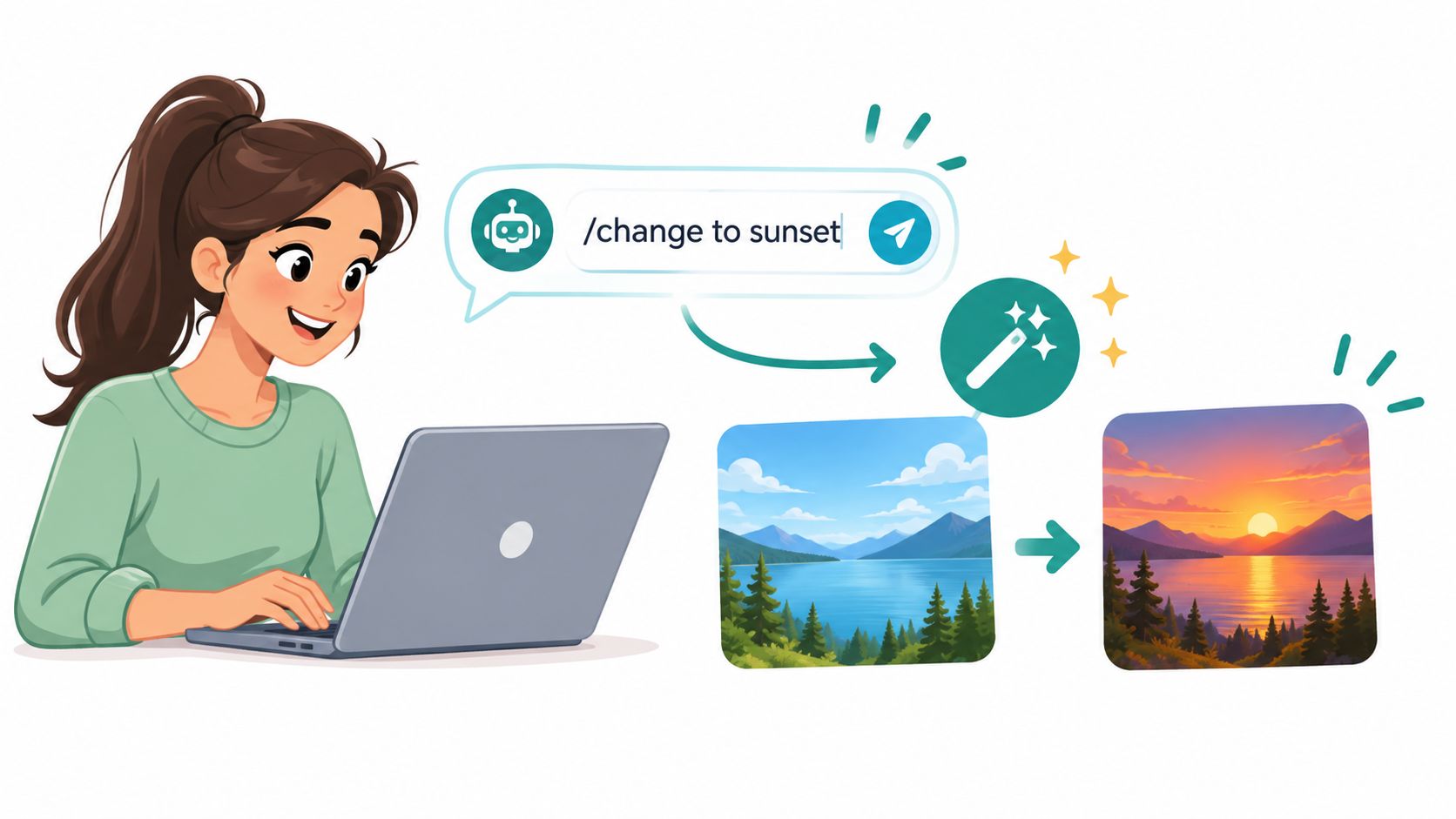
A useful command can follow this pattern:
- Name the location: “On the homepage hero and the first feature section...”
- Describe the outcome: “...make the benefit clear to independent consultants...”
- Set the voice: “...keep the tone confident, friendly, and free of hype...”
- Protect the boundaries: “...don't change prices, testimonials, links, or button destinations.”
- Request a reviewable result: “Show the proposed text first, grouped by section.”
The final instruction matters. AI can produce fluent copy while subtly changing a promise, flattening a brand's personality, or removing a qualification that sales and legal teams need. A preview step keeps the wizard in an assistant's role rather than handing it the crown.
Bad spells and precise enchantments
A vague request might read, “Make the landing page better.” It doesn't identify the audience, the problem, the page area, or the definition of better. A stronger version says, “Rewrite the hero for ecommerce founders launching their first product line. Lead with the problem of scattered campaign tools, keep the existing call to action, and produce a headline, supporting sentence, and three short benefit bullets.”
For a broader revision, try: “Review every section of this funnel for inconsistent terminology. Use ‘workspace' everywhere, replace jargon with plain language, preserve the checkout details, and list every proposed change before applying it.” That command turns a sweeping task into a controlled editorial pass.
You can also ask for visual safeguards without touching a canvas: “Shorten the testimonial cards so the mobile layout stays balanced, but don't remove the customer outcome or attribution.” The AI should make the text fit the design rather than forcing the reader to endure a wall of copy on a narrow screen.
If you're building landing-page copy from a prompt, this guide to an AI landing page copy generator offers a useful model for thinking in sections, intent, and conversion flow.
The important distinction is between generation and editing. Generation creates a first draft. Editing preserves what matters, changes what doesn't work, and explains the trade-offs. Ask the AI to flag uncertain claims, identify repeated phrases, and show before-and-after text. Your approval remains the final ward against accidental promises.
A short demonstration can make the process concrete:
“Replace the hero headline with a benefit-led version for first-time course creators. Keep the phrase ‘live workshops' once. Use no superlatives. Write three options and recommend one based on clarity.”
After the AI responds, inspect meaning, tone, links, headings, and mobile length. Then publish only the approved revision.
Weaving SEO Magic into Your Copy
Search optimization starts where many copy edits end: with the page's evidence. Find pages that receive high impressions but low click-through rates, then change one search-facing element at a time. Rewrite the title tag and meta description, leave the body copy alone, and measure the result across a 2–4 week window, following the title tag and meta description testing guidance.
This isolation matters because simultaneous edits blur the spell's ingredients. If you change the headline, page structure, internal links, and offer together, an improvement or decline has no clear cause. A disciplined editor chooses a page, identifies its weakness, changes one variable, and records what happened.
Make the search result earn the click
Keep title tags around 50–60 characters and meta descriptions around 150–160 characters, practical ranges intended to reduce truncation and make the result easier to understand. These aren't magical laws. Search displays vary, and the strongest metadata still answers the searcher's question in language that matches the page.
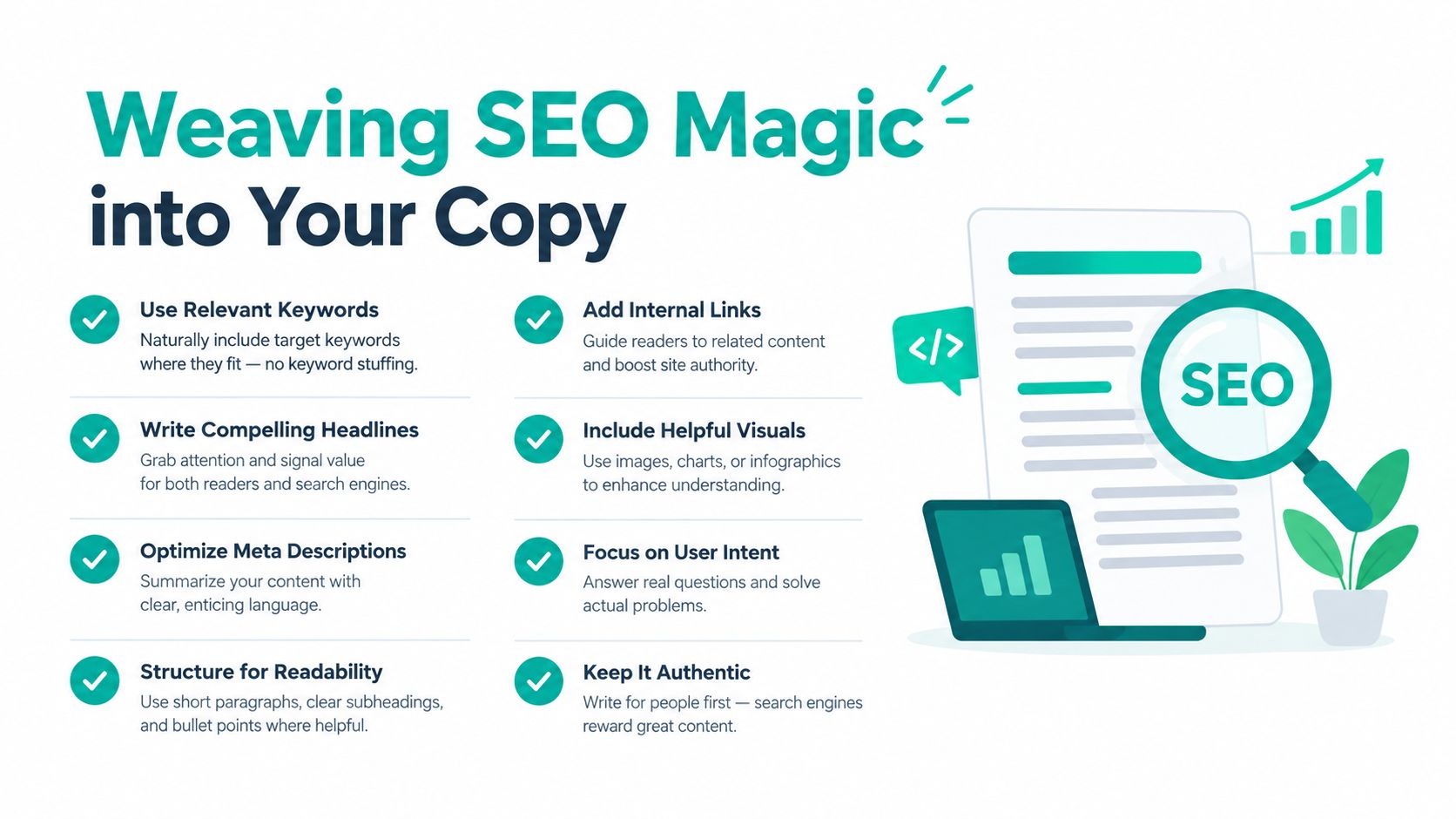
Suppose a page currently uses the title “Solutions | Northstar.” An AI editor can propose a clearer alternative such as “Inventory Software for Small Retail Teams,” provided that wording accurately describes the page. The description can then explain the practical outcome and next step, rather than repeating the brand name.
Searcher's question: “What will I find if I click this result, and why should I care now?”
The same principle applies inside the page. A controlled rewrite study found that clearer revised text improved task time by 80%, task errors by 809%, memory by 100%, and subjective satisfaction by 37%. Nielsen Norman Group's web writing guidance shows why concise wording and task-oriented structure are usability tools, not merely style preferences.
Write the important answer first. Replace abstract claims with observable outcomes. Turn “Our platform helps achieve operational excellence” into “Track client approvals in one workspace.” The second sentence tells a reader what the product does and helps search systems interpret the page's subject.
Let AI handle the first pass, not the final judgment
An AI can identify repeated phrases, suggest related wording, and compare a page with its target query. It can't decide whether a claim is defensible, whether a customer would recognize the brand voice, or whether a simpler sentence accidentally removes an essential condition.
Use a prompt such as: “Review this page for the query ‘inventory software for small retailers.’ Suggest one title tag and one meta description within the practical length ranges. Don't add claims that aren't supported by the page. Explain which wording matches the visitor's likely task.”
For teams maintaining several pages, SEO automation software guidance provides a useful way to connect metadata edits with recurring checks. The strongest workflow remains human-directed: choose the opportunity, constrain the change, inspect the result, and measure the page after publication.
Testing Your Enchantments for Better Conversions
A new headline can feel powerful and still fail. Perhaps it sounds sharper to the internal team but confuses visitors. Perhaps a temporary campaign brought unusually motivated traffic. Without a controlled comparison, the winning copy may be the version that happened to meet a lucky stream of visitors.
An A/B test randomly splits traffic between variants so a team can compare a defined metric. A valid experiment needs random assignment, a pre-defined primary metric, and an adequate sample size set before launch. The A/B testing definition and methodology gives a common rule of thumb of about 30,000 visitors per variant to detect a 10% lift on a 5% baseline conversion rate.
Compare one meaningful difference
Start with a question, not a preference. “Does a task-specific hero headline increase demo requests?” is testable. “Which headline feels more premium?” is a discussion for a brand workshop.
Keep the variants close enough that the result teaches you something. Version A might say, “Manage projects with less friction.” Version B might say, “Keep every client approval in one workspace.” If the button, offer, audience, and page remain stable, the headline carries more of the explanatory burden.
Set the primary metric before traffic starts. A demo form submission, checkout completion, or trial activation may be appropriate, depending on the page's job. Secondary metrics can reveal useful behavior, but they shouldn't replace the agreed decision criterion halfway through the experiment.
Statistical significance is commonly treated as a 95% confidence threshold, corresponding to a p-value of 0.05. That means the observed difference has only a 5% chance of occurring randomly under the stated testing assumptions, and the A/B testing significance methodology cautions teams not to decide before the pre-calculated sample size is reached.
Replace the clipboard with an automated familiar
Manual testing usually means duplicating pages, routing traffic through another tool, checking reports by hand, and remembering to end the experiment. An AI-driven workflow can draft plausible variants, allocate visitors, monitor the chosen metric, and retire an underperformer after the agreed evidence threshold.
That automation doesn't remove judgment. You still need to define the hypothesis, protect the offer, check the variants for accuracy, and reject a result that conflicts with business reality. A headline that wins clicks but attracts people who never complete the next step may be a charming illusion.
For a practical comparison of testing approaches, this guide to A/B testing tools is a useful starting point. Treat every test as a small act of learning. The purpose isn't to crown an AI-generated sentence. It's to discover which promise helps the right visitor take the right action.
Keeping Your Content Spells Active Over Time
A page can be grammatically perfect and still decay. Offers change, links lead nowhere, customer language evolves, and a once-fast page accumulates heavy media. The editor who only checks copy at launch leaves the site exposed to problems that appear after publication.
Accessibility gives the maintenance ritual a clear shape. Paste as plain text when moving copy between tools, keep headings sequential, use meaningful link text, and run a final spell check. University CMS accessibility guidance emphasizes these habits because formatting choices affect how people move through and understand a page.
Build a human-AI patrol
AI is increasingly used to edit, not just draft. A 2026 industry report says 38% of content marketers use AI for editing, up from 19% in 2025, as documented in the accessibility and content editing research. That shift works best when automation handles repetitive inspection while humans set editorial direction.
A maintenance loop can look like this:
- The crawler notices: Find broken links, missing metadata, repeated page language, and pages whose search snippets no longer match their content.
- The editor decides: Confirm which issues matter to the audience, the offer, and the brand.
- The AI proposes: Draft repairs, simplify dense paragraphs, and preserve approved terminology.
- The human approves: Check factual accuracy, accessibility, tone, and commercial intent.
- The monitor watches: Review search, analytics, conversion, and performance signals after publication.
Performance belongs in the same circle. Lazy loading can defer below-the-fold resources, but it shouldn't delay the Largest Contentful Paint element, usually the hero image. MDN's guidance on fixing image LCP reports median 75th-percentile LCP of 2,922 ms without lazy loading compared with 3,546 ms with lazy loading on the median page.
Use automation carefully around important assets. A performance optimizer should compress unnecessary media and defer what visitors don't need immediately, while protecting the main visual and the text that explains the page's purpose.
A hybrid workflow also protects editorial memory. Keep approved voice rules, preferred product terms, forbidden claims, and accessibility requirements in the AI's working context. The system can move quickly, but the human team remains the keeper of the grimoire.
Your Grimoire of Editing Best Practices
Before a major text update goes live, run a compact ritual. Start with the reader's task, then inspect the copy, the page structure, the search result, and the measurement plan.

- Name the visitor: Confirm who the page serves and what they should do next.
- Protect the promise: Check prices, conditions, product details, testimonials, and legal wording against the approved source.
- Sharpen the sentence: Put the answer first, remove unnecessary jargon, and use concrete verbs.
- Check the hierarchy: Keep headings sequential and make each heading describe the content beneath it.
- Audit the links: Use meaningful link text that tells visitors where the link leads.
- Review the metadata: Make the title and description accurate, readable, and suitable for the search result.
- Inspect every screen: Read the page on desktop and mobile, watching for awkward wrapping, missing text, and crowded sections.
- Run the final spell check: Correct typos, punctuation, inconsistent capitalization, and accidental formatting.
- Record the change: Save the previous version, note what changed, and define the metric that will reveal whether the edit helped.
- Choose the experiment: If the decision is uncertain, test a focused variant instead of arguing from taste.
The best AI editing command includes the same discipline. Give the familiar context, boundaries, audience, tone, and success condition. Ask it to show its work, then let a human approve the spell before the page becomes public.
Web Mage turns plain-language requests into page copy and applies chat-based text and visual edits across a site, while its SEO Seer, Speed Sprite, Analytics Oracle, and Conversion Alchemist support recurring optimization, performance checks, analytics review, and split testing. Visit Web Mage to turn website text editing from pixel-pushing into a conversational workflow that keeps improving after launch.