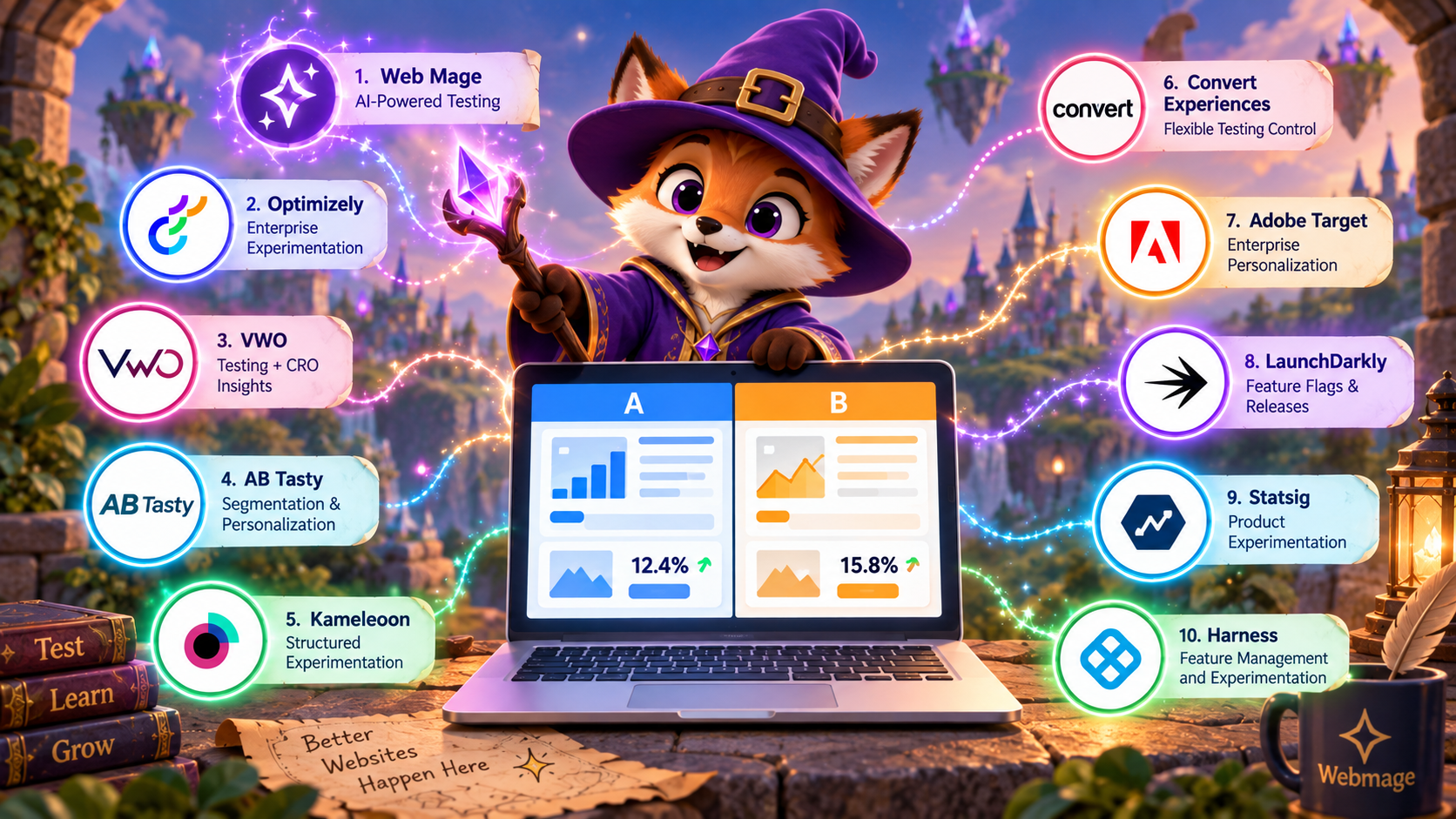
The loudest advice in A/B testing is usually the least useful one. Don't pick the tool with the longest feature list, pick the one that matches the kind of magic you're trying to cast, whether that's testing a landing page, shipping product features with feature flags, rolling out changes safely, or orchestrating an entire funnel from first click to thank-you page. A visual CRO wizard, a warehouse-native mage, and an engineering-led dragon all solve different problems, and treating them like clones is how teams waste time, budget, and patience.
That's why this comparison uses one lens across the board, segmentation depth, statistical approach, traffic allocation, implementation model, and best-fit team. It also separates visual CRO tools from engineering-led experimentation, because a marketer editing a hero section doesn't need the same apparatus as a product team governing server-side rollouts. For teams that want something fast, accessible, and self-contained, Web Mage stands out as an AI-first option that generates pages, funnels, and tests without making you wrestle a template beast.
The market itself backs up how central these tools have become. Independent summaries place the A/B testing software market at about USD 720.6 million in 2024 with a projection to USD 1.3 billion by 2030 in one estimate, and another projects USD 1.67 billion in 2026 to USD 4.82 billion by 2036 (market summary, future forecast). In practice, that means experimentation is no longer a niche spellbook, it's part of the operating system for growth teams.
Table of Contents
- 1. Web Mage
- 2. Optimizely Experimentation
- 3. VWO Testing
- 4. AB Tasty
- 5. Kameleoon
- 6. Convert Experiences
- 7. Adobe Target
- 8. LaunchDarkly
- 9. Statsig
- 10. Harness Feature Management and Experimentation
- Top 10 A/B Testing Tools Comparison
- Turn the Shortlist Into a Winning Test Plan
1. Web Mage

Web Mage suits teams that want a launch-ready site and a testing loop without hiring a team of specialists. You give it a prompt, and it assembles pages, copy, imagery, and styles, then keeps working with SEO Seer, Speed Sprite, Analytics Oracle, and Conversion Alchemist. The result is both a builder and an ongoing optimization engine for teams that want to ship quickly and keep improving after launch.
Why it feels different from a classic CRO stack
The testing workflow is unusually direct. Conversion Alchemist drafts variants, routes traffic, watches results, and promotes winners automatically, so the platform handles more of the routine experimentation work than a typical visual editor. That matters if you want fewer handoffs between page creation and test execution.
The product page also shows concrete examples of what it can do, including LCP improvements from 2.4s to 1.1s, a +18% CTR lift after metadata rewrites, and +11% conversion in a split test example. Those appear as product examples, not promises, so buyers should treat them as signals about the workflow rather than guarantees.
Pricing is simple enough for small teams to understand. The plan is $8/month, and it includes hosting, SSL, a .webmage.site subdomain, and 500 credits, with a 14-day free trial and no card required. Top-ups are available, 1,000 credits cost $20, monthly credits reset, and purchased credits never expire. The credit model gives flexibility, but heavier usage means you need to watch edits, page builds, and recurring optimization tasks.
Practical rule: If your team wants to move from idea to test without adding a separate experimentation tool, Web Mage is the most approachable option in this list.
Best fit for: solo founders, small businesses, agencies, course creators, DTC brands, and SaaS growth teams that need one place for pages, funnels, and testing.
Pros
- Prompt-to-page speed: It can generate a page or funnel from a short prompt, which cuts the usual template wrangling down to something faster to manage.
- Autonomous optimization: The daily agents keep SEO, speed, analytics, and conversion work moving without constant manual review.
- Built-in A/B testing: Variants, traffic allocation, significance handling, and winner promotion live inside the platform.
- Predictable entry cost: The flat plan bundles hosting and optimization under one roof.
Cons
- Domain detail is limited: The included subdomain is explicit, but broader custom-domain and enterprise details are not fully laid out.
- Credits add a layer of accounting: The model is easy to start with, but frequent usage can require top-ups.
- AI still needs human review: Brand voice and final edits still deserve a real human pass.
Website: Web Mage
2. Optimizely Experimentation

Optimizely is the most established platform in this list, covering both client-side visual testing and server-side experimentation in one ecosystem. It also brings feature flags, governance controls, collaboration, and hypothesis linking into the same workflow, so it is aimed at more than button-color changes. The decision covers more than testing: it determines who can safely ship what, when, and why.
Where it belongs in the stack
Optimizely fits organizations that want one vendor for both marketing-led visual tests and engineering-led full-stack work. That breadth is useful, but it comes with implementation effort. Client-side testing needs careful setup, or page performance can suffer, while the server-side path gives teams a cleaner route for more complex experiments.
Pricing is quote-only, which signals an enterprise sales motion rather than a self-serve checkout. Buyers should expect a procurement process, not a public plan page. For teams already operating inside a large digital experience stack, that may feel normal. For others, it means more time before the first test goes live, and more patience before the paperwork is done.
The buying question is fit. Teams that need experimentation governance, shared workflows, and a single place to manage both web and product tests are the natural audience. Teams that only want lightweight page testing may find the platform heavier than they need.
Optimizely makes sense when experimentation governance matters as much as the test itself.
Best fit for: mature enterprise teams running both web experiments and product experiments under one roof.
Pros
- Dual-mode testing: Visual web tests and server-side experimentation sit together.
- Enterprise governance: Collaboration and program controls suit large teams.
- Single-vendor ecosystem: It fits organizations that want fewer tools to reconcile.
Cons
- Sales-led pricing: You will not budget from a public plan page.
- Setup effort is real: The platform rewards teams with implementation bandwidth.
- Client-side care is necessary: Poor setup can hurt page performance.
Website: Optimizely
For a practical example of how teams separate experimentation models in real work, see the Web Mage case studies.
3. VWO Testing

VWO bundles A/B testing, multivariate testing, split URL tests, SmartStats, session replays, and heatmaps in one product. That matters for teams that want to test, inspect, and adjust from a single workspace instead of stitching together separate tools. It is a broad CRO stack, so the buying decision is partly about whether you want one platform to carry that load.
Bayesian stats and CRO diagnostics in one place
VWO's Bayesian approach through SmartStats is a good fit for teams that prefer ongoing experimentation workflows over rigid stop dates. The platform makes the most sense for mid-market groups replacing Google Optimize, since they often need a broader CRO suite rather than a single-purpose testing tool. If you already use separate replay and analytics tools, parts of the suite will be redundant.
The capability is not in question. Procurement becomes part of the evaluation. Public pricing is not posted in the way smaller teams often hope for, so buyers commonly need a quote. That affects timeline and budget planning, especially for teams that want quick approval before a test program starts.
On the product side, VWO's onboarding and documentation are strong enough that teams usually do not spend long trying to make sense of the interface. The setup still asks for implementation work, but the platform gives you enough guidance to get moving without a lot of guesswork. For landing-page work, it also supports multipage and split-URL testing without forcing a platform switch.
If your team wants testing, diagnostics, and experimentation stats in one system, VWO is a practical option.
Best fit for: mid-market marketing teams, CRO teams, and businesses replacing legacy testing setups.
Pros
- Broad CRO bundle: Testing, replay, and heatmaps sit together.
- Bayesian SmartStats: Good for teams that want modern experimentation workflows.
- Clear onboarding support: The product gives teams enough guidance to start.
Cons
- Pricing opacity: Public list pricing is not the default.
- Suite overlap: Separate analytics or replay tools can make parts of VWO unnecessary.
Website: VWO
For a companion write-up on prompt-based page creation that pairs neatly with testing workflows, see Web Mage's AI landing page copy generator.
4. AB Tasty

AB Tasty is aimed at teams that want experimentation and personalization in one platform. It covers web testing, personalization campaigns, and server-side feature experimentation and rollouts, so it fits brands that need to manage multiple surfaces without assembling a patchwork of tools. Compared with Optimizely, AB Tasty is a more focused offering, but it still has enough depth for serious enterprise work.
A practical fit for segmentation-led programs
The main draw is the mix of experimentation, personalization, and AI-assisted ideation, including EmotionsAI. That matters for teams that want testing tied to audience targeting instead of treated as a separate lab exercise. The platform can handle many segments cleanly, which is useful when merchandising, lifecycle, and product groups all want their own rules. The same breadth can be excess for smaller teams that only need a straightforward visual test.
Pricing is quote-only, so procurement usually becomes part of the buying decision. That affects timelines, approval paths, and how quickly a team can get from demo to rollout. Buyers should also weigh support expectations and implementation effort, because enterprise platforms rarely stop at the interface.
AB Tasty makes the most sense for large marketing and product teams that expect to run both tests and personalization programs at scale. If you are still deciding between a CRO toolkit and an experimentation platform, AB Tasty is likely more than you need today.
Best fit for: large marketing and product teams that need experimentation plus segmentation-led personalization.
Pros
- Tests plus personalization: Fewer vendor seams.
- Server-side support: Useful for broader rollout programs.
- Enterprise depth: Better for large, segmented programs.
Cons
- Sales-led pricing: No simple public price ladder.
- Potential overkill: Smaller teams may not use the full surface area.
Website: AB Tasty
5. Kameleoon

Kameleoon combines AI-assisted experiment creation with statistically rigorous machinery. It blends web experimentation, full-stack experimentation, SPA support, and advanced methods like CUPED and sequential testing. The result is a platform that helps teams move faster without treating measurement like a side quest.
Built for teams that want discipline, not spectacle
The useful part of Kameleoon is its split personality. Marketing teams can stay in the visual editor, while product teams can move into SDK-based experimentation and feature rollouts inside the same system. That makes it easier to keep experimentation rules aligned across functions instead of splitting the work across separate tools.
Pricing is less opaque than many enterprise platforms because Kameleoon uses MTU/MAU methodology to explain billing. Public list prices still are not posted, so procurement will need to do some work before the budget picture is clear.
Implementation is the tradeoff. Advanced features usually require setup and integration up front, so teams without technical support may feel the first mile is slower than the demo suggests. That is the cost of getting more serious controls.
For buyers comparing platforms through the same lens, Kameleoon stands out on segmentation depth and statistical approach, while its implementation model demands more effort than a lightweight visual CRO tool. That balance makes it a good choice for teams that want discipline over flash.
Best fit for: teams that need hybrid web and full-stack experimentation, with statistical rigor at the center.
Pros
- Advanced stats: CUPED and sequential testing suit mature experimentation programs.
- Hybrid model: Web and server-side experimentation live together.
- Clearer pricing basis: The billing methodology is easier to interpret than a pure black box.
Cons
- Sales-led pricing: Public list prices are not posted.
- Setup overhead: The platform rewards teams with integration bandwidth.
Website: Kameleoon
6. Convert Experiences

Convert is for teams that want testing tools to be explicit about what they do. It supports A/B, multivariate, multipage, and split-URL testing, plus anti-flicker, CNAME / first-party options, and consent-aware bucketing. That combination suits buyers who care about clean implementation and want fewer surprises in production.
Good for agencies and teams that want control
Public pricing is the main reason Convert earns attention. Flat tiers let teams budget without talking to sales first, which helps agencies and SMBs plan around actual usage instead of a custom quote. Usage-based pricing can become harder to predict once traffic grows or several clients share the same account.
The narrower product surface is a deliberate trade-off: less breadth, less bloat. Convert stays focused on experimentation rather than trying to fold in a full personalization stack or a broad DXP layer. Server-side support exists, but it is not the headline feature, so engineering-led teams should check whether the depth matches their roadmap before they commit.
For buyers using the same decision lens across platforms, Convert scores well on implementation model and pricing clarity, with enough segmentation and test types to handle common CRO work. It is a practical fit for teams that want a cleaner path to running experiments, not a bigger platform to manage.
Best fit for: SMB and mid-market teams, plus agencies that need transparent pricing and decent control.
Pros
- Public pricing: Easier to forecast.
- Anti-flicker setup: Helpful for reducing visual disruption.
- Agency-friendly structure: Better for multi-client workflows.
Cons
- Less breadth than suite vendors: No giant personalization ecosystem.
- Server-side depth is lighter: Not the first choice for complex engineering-led programs.
Website: Convert
7. Adobe Target

Adobe Target fits teams already working inside Adobe's stack. It supports A/B testing, multivariate testing, and automated personalization within Adobe Experience Cloud, with connections to Adobe Analytics and AEP audiences. For organizations standardized on Adobe, that kind of native fit outweighs the capabilities of any standalone tool.
The practical question is less about feature count and more about operating fit. Adobe Target makes sense when your team already knows the Adobe architecture well; otherwise you will spend more time on integration than on testing. If marketing, analytics, and governance already run through Adobe tools, the platform can sit inside that workflow instead of adding another layer for the familiars to learn.
Pricing is quote-based, so buyers will not get the quick comparison they get from public-tier tools. The platform also tends to suit larger teams that can absorb setup work and coordinate across properties. Smaller groups can still use it, but the cost of alignment often rises faster than the value of extra breadth.
That makes Adobe Target a straightforward choice for Adobe-centric organizations, and a slower one for everyone else. The decision is not whether it can test and personalize, it can, but whether the rest of your stack already matches its assumptions.
Best fit for: Adobe-centric organizations that need experimentation and personalization across many properties.
Pros
- Deep Adobe integration: Strong fit for existing Adobe stacks.
- Enterprise governance: Useful at multi-property scale.
- Testing plus personalization: One system for both.
Cons
- Quote-based pricing: No quick public comparison.
- Best with Adobe add-ons: Value rises with broader stack adoption.
- Potential lock-in: The ecosystem fit can become sticky.
Website: Adobe Target
8. LaunchDarkly

LaunchDarkly is built around feature flags, governance, and experimentation rather than visual page editing. It gives teams a way to turn flags into tests, run holdouts, manage approvals, and keep rollout decisions under control. For engineering-led organizations, that is a different buying decision from a marketing-first CRO tool, and often the more sensible one.
Built for release discipline, not page decorating
The product's center of gravity is release control. Server-side delivery and rollout management sit at the core, which suits teams that want measurement tied to deployment, especially when audit trails, approvals, and mutual exclusion matter. LaunchDarkly also publishes a plan matrix that includes a free Developer tier, so it is not only for buyers already comfortable with enterprise procurement.
Pricing and governance features tend to rise with scale, which is normal for software that sits close to the release process. The important question is whether the team needs the control surface badly enough to justify the cost. For engineering groups modernizing delivery, the answer is often yes; for teams shopping for a drag-and-drop page editor, the fit will feel strained.
The platform is strongest when experimentation has to live inside CI/CD. It also works well for teams that care more about rollout discipline than visual polish, the sort of setup where a release manager and a data analyst share the same spellbook. If your organization needs that level of control, LaunchDarkly deserves serious consideration.
Best fit for: engineering-led teams focused on feature management, rollouts, and server-side experimentation.
Pros
- Progressive delivery native: Release and measurement workflows line up well.
- Transparent plan structure: A free Developer tier lowers the barrier.
- Governance features: Useful in controlled environments.
Cons
- Engineering-centric: Not a visual CRO platform first.
- Higher-scale pricing pressure: Governance can push teams upward.
- Not built for page editors: Marketing teams may feel out of place.
Website: LaunchDarkly
9. Statsig

Statsig sits closer to a product decision engine than a visual CRO suite. It combines feature flags, experiments, and product analytics, so teams can inspect sliceable results, dimension analysis, holdouts, and longer-term effects in one place. For product groups that already speak in events and metrics, that is a cleaner spellbook than stitching together separate tools.
The part that matters: pricing, analysis, and fit
The pricing model is unusually open for this category. Statsig offers a free Developer tier with 2M metered events per month, then shifts to usage-based billing. That helps teams start without a sales ritual, but it also means event hygiene matters if you want costs and data quality to stay under control.
The differentiator is the analysis layer. Statsig is built for teams that need to slice results by dimension and check long-term effects, not just declare a winner and move on. If the work is mostly page editing in a WYSIWYG interface, the platform will feel like a lab bench rather than a paintbrush. If the work is deciding what ships, how it rolls out, and what the metric impact looks like, it fits far better.
That split is the buying test. Teams often say they want A/B testing, then discover they need a system that connects experimentation with product analysis and release decisions. Statsig serves the second need, which is why engineering-heavy and data-heavy teams tend to get more value from it.
Best fit for: product and growth teams that want experimentation and analytics together, especially with warehouse discipline.
Pros
- Transparent usage model: Easier to self-serve than many enterprise suites.
- Analytics built in: Useful for product metric work.
- Sliceable results: Strong for deeper analysis.
Cons
- Needs event discipline: Value depends on clean instrumentation.
- Less visual than CRO-first tools: Marketers may want more WYSIWYG control.
Website: Statsig
10. Harness Feature Management and Experimentation
Harness Feature Management and Experimentation, formerly Split, fits teams that want feature flags to become measurable experiments inside the delivery pipeline. It stays close to CI/CD, release workflows, and usage reporting, so deployment and measurement remain part of the same operating model. That matters for teams that want testing integrated with deployment rather than isolated in a separate tool.
The engineering-first route from release to measurement
The practical advantage is workflow alignment. You can turn flags into experiments with defined windows and metrics, then connect that work to release decisions without handing it off to a separate CRO stack. For engineering and product teams, that reduces the usual gap between what ships and what gets measured.
Pricing for FME is not consistently posted publicly, so buyers still end up in a sales conversation. That makes fit more important than a neat list price. If your team is modernizing delivery and wants experimentation embedded in release management, Harness deserves a serious look.
It is not built for visual page editing, and it does not try to make web experimentation the star of the show. It works best when your flags, releases, and metrics are managed as one connected workflow.
Best fit for: engineering-led teams that want release, rollout, and experiment measurement in one system.
Pros
- CI/CD adjacency: Fits release-driven organizations.
- Flag-to-experiment workflow: Gives developers a clear path from rollout to measurement.
- Broader platform fit: Works well for teams already using Harness.
Cons
- Sales-led pricing: Public list pricing is not reliable.
- Not a visual CRO tool: Marketing use cases are secondary.
Website: Harness
Top 10 A/B Testing Tools Comparison
| Product | Core features | Unique selling points | Target audience | Pricing & performance notes |
|---|---|---|---|---|
| Web Mage | Prompt-to-page, one-sentence funnels, chat edits, nightly SEO/Perf/Analytics agents, built-in A/B testing | AI-generated full sites + autonomous daily optimization; hosting & SSL included | Solo founders, SMBs, agencies, course creators, e‑commerce, product/growth teams | $8/mo (500 credits), 14‑day trial; credit top-ups; LCP 2.4→1.1s, CTR +18%, conv +11% |
| Optimizely Experimentation | Visual web editor, server‑side SDKs, feature flags, program governance | Mature enterprise full‑stack experimentation + DXP integrations | Enterprises, cross‑functional marketing & engineering teams | Quote-only enterprise pricing; careful implementation to avoid client‑side perf impact |
| VWO Testing (Wingify) | A/B, MVT, SmartStats (Bayesian), session replays, heatmaps | Broad CRO toolkit combining testing + behavioral insights | Mid-market CRO teams, agencies replacing Google Optimize | Quote-based pricing; strong onboarding, may overlap existing tools |
| AB Tasty | Web experiments, personalization, server‑side feature flags, AI features | Unified testing + personalization from one vendor | Brands needing personalization and experimentation | Quote-only, enterprise-leaning pricing |
| Kameleoon | Prompt-based experiment creation, SPA support, full‑stack SDKs, advanced stats | Statistical rigor (CUPED/sequential), hybrid client/server model | Marketing & product teams needing advanced stats & SPA support | Sales engagement required; pricing based on MTU/MAU model |
| Convert Experiences | Visual editor, anti‑flicker, CNAME/first‑party options, consent-aware bucketing | Transparent flat pricing, low performance impact, agency-friendly | SMBs, mid-market teams, agencies wanting clear pricing | Public tiers with MTU limits; good value for non‑enterprise users |
| Adobe Target | A/B, MVT, automated personalization, deep Adobe integrations | Best fit inside Adobe Experience Cloud for scale & governance | Adobe‑centric enterprises, multi‑brand organizations | Quote-based; costly unless already in Adobe ecosystem |
| LaunchDarkly | Feature flags, experiments, governance (RBAC, approvals), mutual exclusion | Developer-centric progressive delivery, published plans incl free dev tier | Engineering-led teams, progressive delivery workflows | Published pricing matrix; free Developer tier, costs scale with governance needs |
| Statsig | Flags, experiments, analytics, event/metric ingestion, slicing | Warehouse-friendly experiments + analytics, usage-based pricing | Product teams, data-driven startups, teams wanting self‑serve analytics | Free Developer tier (2M events/mo); clear usage pricing |
| Harness Feature Management & Experimentation | Feature flags → experiments, CI/CD adjacency, usage reporting | Tight CI/CD integration for release→rollout→measurement workflows | Engineering teams embedding experiments in CI/CD | Quote-based; sales conversation typically required |
Turn the Shortlist Into a Winning Test Plan
The wrong way to buy an A/B testing tool is to start with a feature checklist and hope the universe sorts it out. The right way is to classify your primary testing motion first, visual CRO, full-stack experimentation, progressive delivery, or all-in-one website and funnel workflow, because that immediately narrows the field. A marketing team optimizing landing pages has very different needs from a product org shipping flags into production, and the tool should follow the motion, not the other way around.
After that, verify the parts that decide whether the platform will work in your castle. Check segmentation depth and identity requirements, because some teams need simple audience splits while others need richer targeting across properties or events. Then confirm the statistical engine, since a Bayes-friendly workflow, a frequentist program, or a product-analytics model all change how your team reads winners, losers, and inconclusive tests.
Traffic allocation and winner promotion controls matter too. A tool that drafts variants but can't route traffic cleanly or promote a winner automatically leaves extra work on your plate, and that's where many teams lose momentum. If your site or product doesn't have enough traffic, remember the practical sample-size guidance that often assumes 95% confidence with 80% power, and some industry guidance recommends at least 10,000 visitors per variation and 300 conversions per variation for a test to be meaningful (sample-size guide, industry guidance).
Then model implementation and pricing at the usage level you expect, not the usage you hope will magically appear. Enterprise quotes can work beautifully when the organization is ready for them, but they're a bad fit if the team needs speed, transparency, or low maintenance. Flat plans, usage-based billing, and credit systems each trade convenience for a different kind of cost, so the best choice is usually the one your team can sustain without becoming a part-time guild of invoice negotiators.
Start small. Pick one measurable hypothesis, one primary metric, a short list of guardrails, and a documented decision rule before you launch anything. That keeps the test honest, protects the team from wizard-brain overconfidence, and gives you a repeatable process for the next experiment instead of a single lucky spell.
If you want a tool that combines page generation, funnel creation, autonomous optimization, and built-in split testing in one place, Web Mage is the easiest familiar to summon. It's built for teams that want to launch fast, test continuously, and keep SEO, performance, analytics, and conversion work moving without a pile of separate tools. Visit Web Mage, try the prompt-to-page workflow, and see how quickly your next experiment can go from idea to live funnel.