
Google can ignore the meta description you carefully wrote. Its snippet guidance says it sometimes uses the description tag when that text explains the page better than the visible content. You're writing a suggestion, not casting a mind-control spell.
That doesn't make the work pointless. A good meta description is a tiny promise that the page must keep. Learning how to write meta descriptions means choosing a useful promise, expressing it clearly, and checking whether searchers respond in Search Console. The character counter is your measuring wand, not your judge.
Table of Contents
- Length Rules and Snippet Limits at a Glance
- How to Write One in Five Steps
- Templates and CTAs That Earn the Click
- Keyword Placement Without Stuffing
- Test CTR and Fix What Underperforms
- Confirm the Workflow Before You Publish
Length Rules and Snippet Limits at a Glance
Use 120 to 155 characters as a drafting target, not as a Google-imposed law. For a mobile-focused draft, try 120 characters or fewer, and make the opening clause useful even if nothing after it appears. These are editorial constraints for writing compact copy, not guaranteed display limits.
Google doesn't reserve an identical text box for every result. Display width, device, query, and result layout can affect what searchers see. A string packed with wide letters takes more room than one full of narrow letters, so character counts can't tell the whole story.
Meta description and title length targets
| Element | Target | Why It Matters |
|---|---|---|
| Meta description, desktop | 120-155 characters as a drafting target | Encourages a complete, concise promise without trailing sales copy |
| Meta description, mobile | 120 characters or fewer as a drafting target | Mobile results can truncate earlier, so the first clause must stand alone |
| Meta description pixel width | Check the rendered width in a desktop and mobile preview | Google cuts by pixel width, so wide letters use more space |
| Title tag, for context | Keep the main topic and differentiator visible in the preview | The title sits above the description and sets the expectation |
| Keyword mentions | One natural mention | Repeated keyword strings are discouraged and waste the space |
Make the title and description cooperate
The title identifies the page. The description adds the reason to choose it. Repeating the title word for word wastes an opportunity to explain the product's material, the article's practical scope, or the service's location.
For help shaping that upper line, Operosus on titles that win clicks is a useful companion to your snippet-writing work. Read the title and description together as a single thought, not rival spells competing for attention.
Preview rule: Put the essential promise first. Treat everything after it as supporting detail.
Don't pad a strong description just to reach a target. Likewise, clipping isn't evidence of a penalty, it means the searcher may miss your ending. Keep emoji and decorative symbols out unless a preview confirms they're useful and readable.
Before publishing, paste the draft into a character counter, then a search-result mockup. Check both desktop and mobile, especially whether the sentence still makes sense without its final clause.
How to Write One in Five Steps
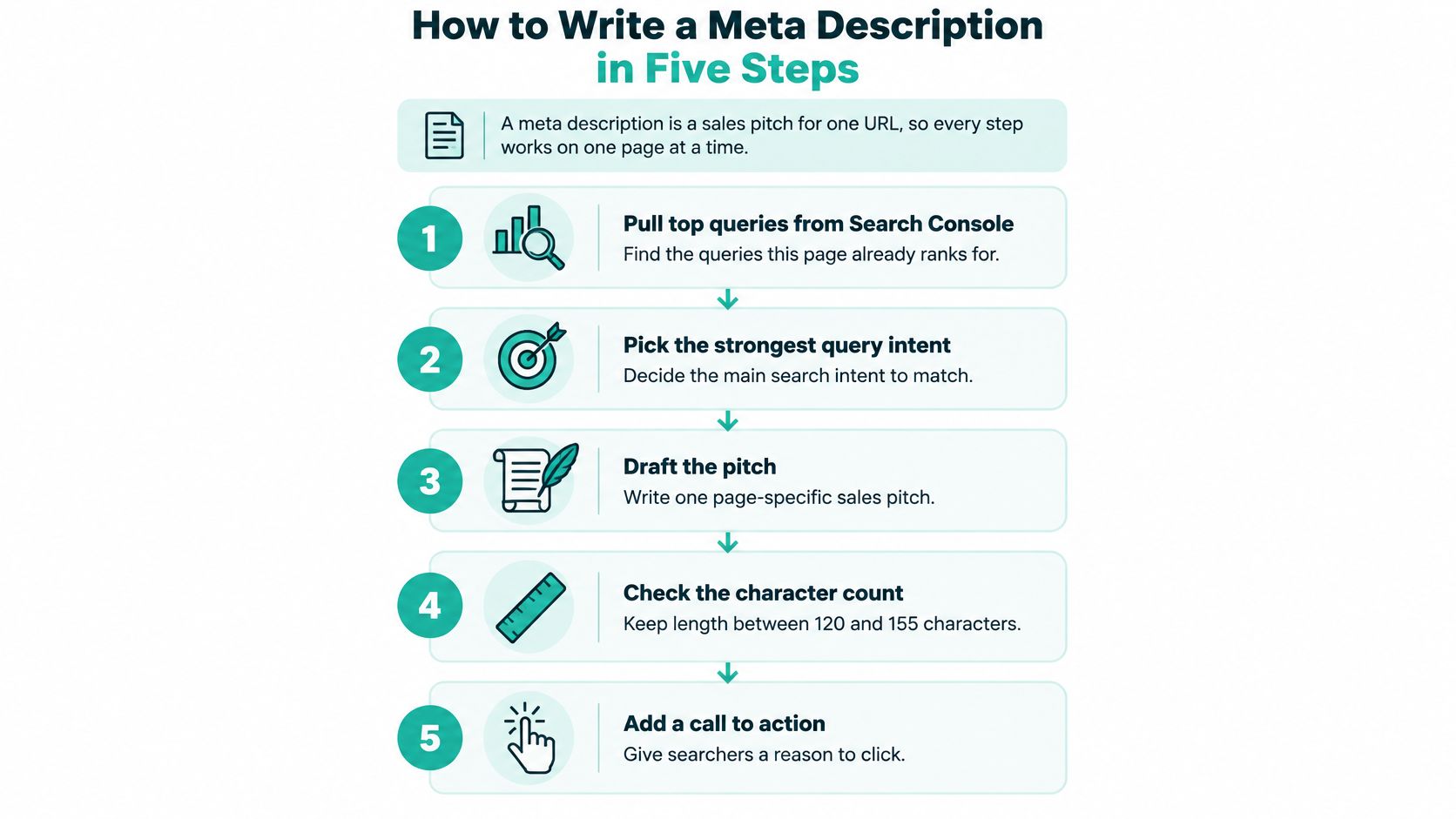
A meta description is a sales pitch for one URL, so work on a single page at a time. A category page, product page, and buying guide may share a topic, but they shouldn't make the same promise.
Google's description guidance recommends unique, readable descriptions and allows programmatic generation when the output remains specific and useful. That makes a page-level workflow more valuable than a reusable bag of keywords.
Draft from evidence, not ambition
Find the query intent. In Search Console's Performance report, filter to the exact page and inspect its queries, then decide whether visitors want to buy, learn, compare, or find a local service. The common slip is writing for a keyword you wish the page ranked for instead of the searches it receives, which produces a pitch for the wrong audience.
Choose the strongest differentiator. Pull a concrete fact from the page, such as material, service area, author, price, or a useful outcome. Skip interchangeable claims like excellent quality, because searchers can't use them to distinguish your result from the next one.
Draft two compact sentences. Let the opening say what visitors will find, then use the second sentence for the differentiator and a relevant next step. Don't force extra keywords into the ending, the point of this structure is to separate the offer from the reason to care.
Check the promise against the page. Compare the draft with the title, H1, first visible paragraph, and structured data. A free-trial claim that appears nowhere on the landing page isn't persuasive copy, it's a rogue spell that needs dispelling.
Trim, preview, and check uniqueness. Aim to keep the draft under 155 characters, then inspect the rendered result and compare it with descriptions elsewhere on your site. Don't approve it merely because the counter turns green, a short duplicate is still a duplicate.
Keep this process beside your editor while drafting.
A product promise that survives the click
Say a shop sells an oak walking staff with an adjustable wrist strap. A useful draft would be:
Shop oak walking staffs with adjustable wrist straps. Compare lengths and choose a comfortable fit for your next woodland walk.
The matching first paragraph should identify the oak construction, explain the strap, and direct shoppers to the length options. It shouldn't open with a vague legend about adventurers while hiding the product details below the fold.
Save the final description in your CMS or SEO plugin's metadata field. Then check the published page source to confirm that the saved description, rather than an old template default, is present.
Templates and CTAs That Earn the Click
Templates help you start. They become a problem when you stop thinking after filling the blanks.
Choose the structure that answers the searcher's immediate question. A reader troubleshooting sourdough needs a different invitation from a shopper comparing walking staffs, even if both appreciate a little wizardry.
Meta description formulas with examples
The examples below are fictional copywriting scenarios. Their schedules, warranties, shipping promises, and product tiers illustrate structures, not verified offers.
| Template | Formula | Example |
|---|---|---|
| Question and answer | Name the problem, then promise the fix | Tired of soggy sourdough? Follow this 12-hour feeding schedule that fixes it |
| Benefit and proof | Outcome first, then one proof point | Hand-forged oak staffs with a lifetime grip warranty, shipped in two days |
| Local detail | Service, place and hours | Walking staff fitting in York. Visit our workshop during its published opening hours |
| Soft CTA | Verb that promises a clear next step | Compare the three spellbook tiers and pick yours in under a minute |
A template is a scroll, not a cage. Use it to organize a real offer, then rewrite anything that sounds manufactured.

Match the formula to the destination
Question and answer suits an explanatory blog post. For the same fictional walking staff, try: Need help choosing a walking staff? Learn how oak, grip shape, and staff length affect your choice. The page needs to answer that question, rather than immediately pushing a checkout button.
Benefit and proof suits a product page. Try: Find a comfortable walking grip with an oak staff. Explore the adjustable wrist strap and available lengths. The supporting detail should be something the shopper can inspect, not an unsubstantiated claim of superiority.
Local detail suits a service business or physical workshop. Try: Get an oak walking staff fitted at our York workshop. Check opening hours and book your visit. Only use that version if fitting, location, and booking are genuine parts of the offer.
A soft CTA suits a landing page where visitors need help deciding. Try: Compare oak walking staffs by length and grip style. See the options and choose your fit. It invites exploration without pretending the visitor is ready to buy.
Give the click a destination
Choose verbs that describe what happens next: compare, book, download, or see pricing. Click here describes the interface; learn more leaves the destination vague.
For a practical look at automated drafting, Riff Analytics explains how meta description makers work. Use generated alternatives as options to edit, not evidence that an offer exists.
Apply the same audience-first thinking used in copywriting for small businesses. Keep one central promise instead of cramming in a feature inventory. Write three versions, read them aloud, and keep the one you could comfortably say to a friend.
Keyword Placement Without Stuffing
Meta description, write meta description, meta description tips.
That isn't optimization. It's a wizard emptying the entire ingredient cupboard into the cauldron and hoping for soup.
A cleaner version would be: Learn how to write meta descriptions with practical examples, a publishing checklist, and a method for reviewing clicks. It names the topic while explaining why someone should visit.
Google's guidance on improving snippets explicitly discourages long keyword strings because they don't summarize pages well and are less likely to be used instead of normal page text. Repetition isn't a shortcut to control.
Place words where readers need them
Put the main term near the beginning when it fits naturally. Searchers should be able to identify the subject without decoding a clever opening, and matching query language may appear emphasized in the result.
A close variant belongs later only if it adds meaning. Don't turn a natural mention into a quota that forces the same idea into every sentence.
Use Search Console to choose supporting language:
- Inspect intent: Separate practical questions from buying and comparison queries.
- Keep useful vocabulary: Prefer words your audience uses when they accurately describe the page.
- Reject misleading matches: Don't borrow a popular query if the destination can't satisfy it.
For local businesses, a city or service area can be more helpful than another adjective. For an article, an author or publication date may matter when readers need expertise or time-sensitive information. Add these details because they help someone choose, not because every description needs them.
Check the substance behind the phrase
If your draft promises a checklist, the page needs an actual checklist. If it promises a comparison, visitors should find meaningful differences, not separate product blurbs with no evaluation.
One clear incantation beats a grimoire of repeated words.
A polished tag still doesn't guarantee that searchers will see your exact wording. Google can select visible text that better answers a particular query. Give your page a direct, informative opening so that an alternative snippet still represents the offer accurately.
Test CTR and Fix What Underperforms
A meta description is a tiny promise, and Search Console shows whether searchers believed it enough to click. Judge yours by relevant clicks, because a green score in an SEO plugin says nothing about how the promise performs in the wild. Treat the dashboard as a scrying mirror with a spreadsheet attached: it shows what happened, though it rarely confesses why.

Establish a comparable baseline
Export four weeks of data before editing anything. Treat that window as a practical review period, and segment clicks, impressions, CTR, and average position by query and device.
CTR is clicks divided by impressions. Compare similar searches at similar positions. A shift in query mix can move a page's overall CTR even when your copy stays exactly the same.
Say a page pulls several hundred impressions, sits in the top five positions, and earns under 2% CTR. That earns a hard look at the title, the snippet on display, the competing results, and the intent fit. The description is one suspect among several.
- Stable position, weaker CTR: Check whether the result gives searchers a reason to choose it.
- Changing position: Separate ranking movement from the copy change before drawing conclusions.
- Different device patterns: Inspect the mobile result rather than trusting a desktop preview.
Change deliberately and inspect the result
Edit one page or a coherent template group, record the change date, and schedule a review two to four weeks later. Change the title, offer, and description together and you forfeit the ability to say which element moved the needle.
Google often displays a different snippet than the one a site writes, so what you are measuring is the result searchers saw. Spot-check important live queries, because the displayed text can vary between searches. For the difference between a controlled experiment and before-and-after observation, see this guide to running an A/B test.
Use this video as a companion when reviewing your search workflow.
Keep a change when CTR improves across comparable queries without an unexplained loss of impressions or position. If impressions fall, investigate indexing, demand, and ranking before reverting. A lower impression count alone proves nothing about your new description.
Confirm the Workflow Before You Publish
Treat publication as a quality gate. A description isn't ready because it sounds persuasive, it's ready when someone can verify every part of the promise.
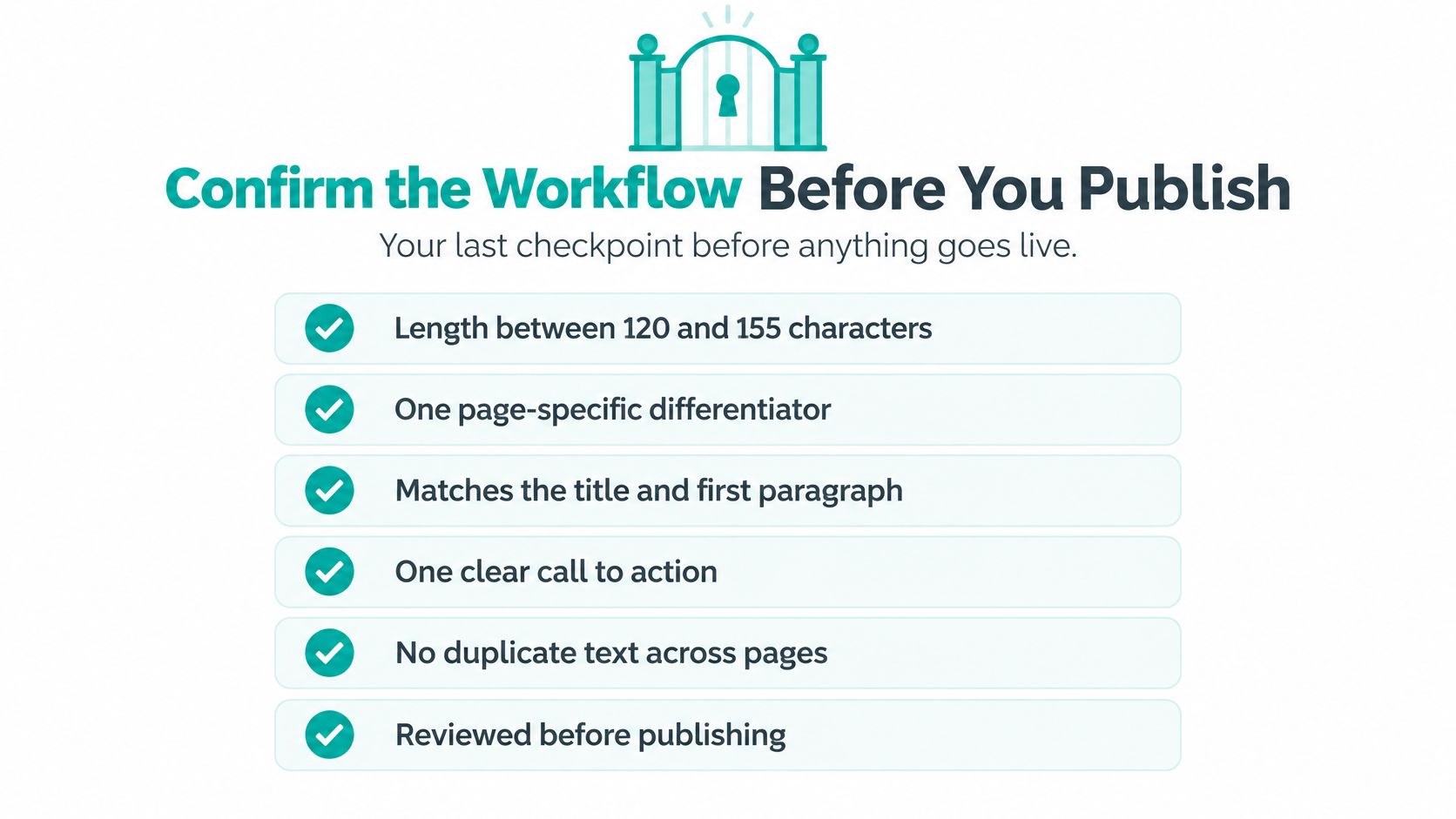
Use this compact checklist before saving the final version:
- Length: Aim for the 120 to 155-character drafting range, without padding clear copy.
- Differentiator: Include a useful fact specific to this URL.
- Alignment: Match the title, opening paragraph, and available offer.
- Action: Give visitors a clear, relevant next step.
- Uniqueness: Remove duplicated descriptions across unrelated pages.
- Accuracy: Delete unsupported claims and inspect the rendered preview.
Keep the final check visible wherever metadata gets approved.
Put automation behind the quality gate
For a large catalog, build templates around real fields such as product type, material, and service area. As a practical sampling exercise, inspect 20 outputs across different page types and look for empty fields, clipped wording, repeated phrases, and invented benefits.
Our SEO Seer familiar crawls pages nightly, rewrites meta, and fixes broken links. Apply the same approval checklist to automated output, and understand the review responsibilities that come with an automated SEO tool.
A 2026 Copylume summary of Ahrefs' study reports that Google rewrote 62.78% of meta descriptions and displayed the supplied description in 37.22% of results. Prioritize your important URLs rather than treating complete metadata coverage as proof of success.
Run the checklist on your five most important pages this week. Log their baseline CTR, record each edit, and book a Search Console review for four weeks after publication. Give every promise an owner and every change a review date.
Web Mage builds websites and sales funnels from plain-English descriptions, including pages, copy, images, and layout, with ongoing metadata maintenance from SEO Seer. Visit Web Mage to build your site, then use this checklist to keep its search promises accurate and worth clicking.