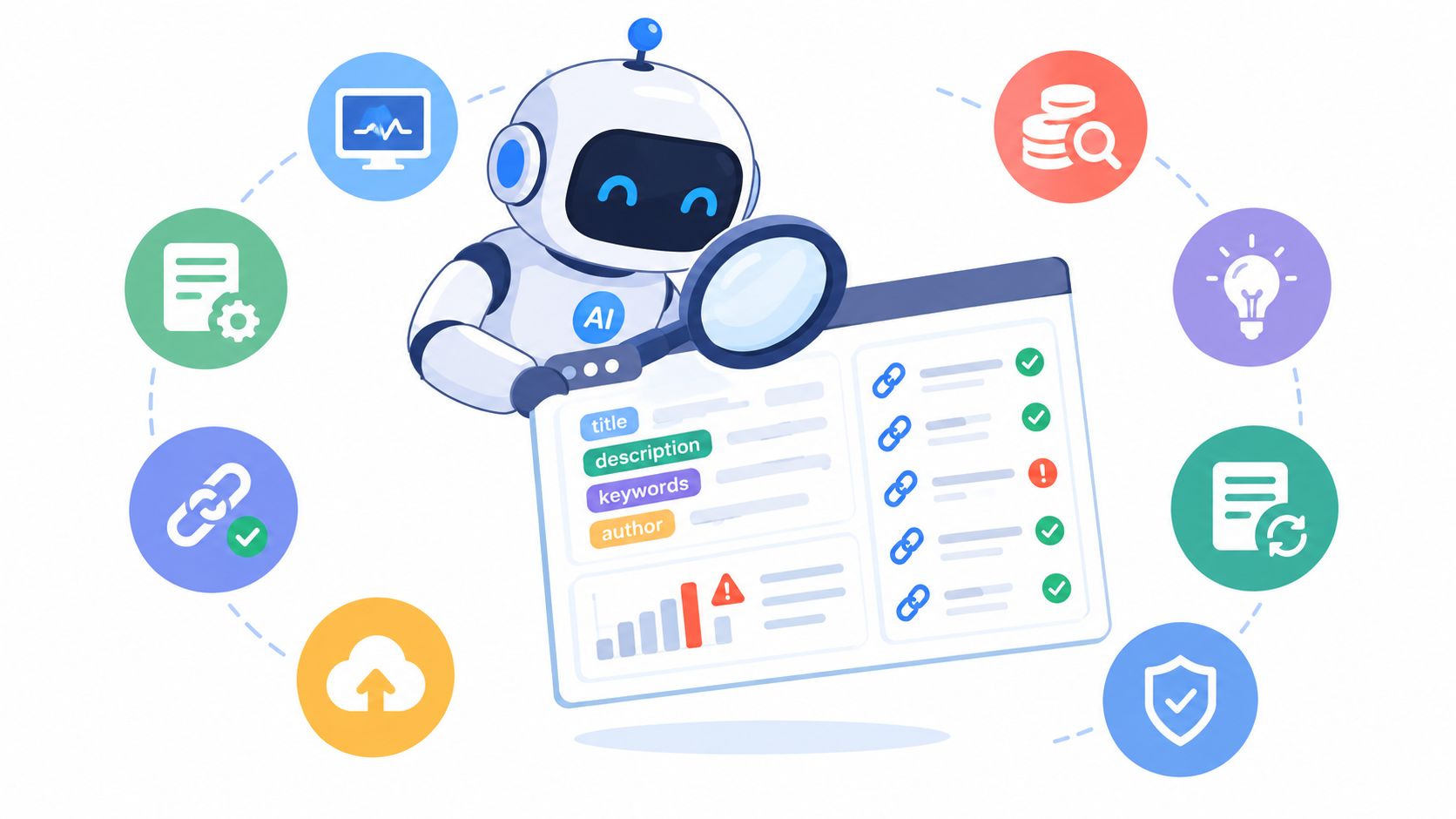
On Tuesday night, a pricing page is still wearing last quarter's title tag, two footer links return errors, and the person who owns SEO is nowhere near a laptop. By morning, the site has no dramatic disaster, just a growing pile of small maintenance failures that can weaken discovery, usability, and conversions.
A good automated SEO tool works like a familiar that keeps watch while you sleep. It crawls, alerts, prioritizes, and sometimes makes changes, but the useful question isn't how many features appear in a dashboard. The useful question is which chores disappear from your plate, and whether you can trust the spell.
This list ranks ten tools by practical maintenance work, including monitoring, metadata updates, content refreshes, link checks, and technical fixes. Each gets judged on alert depth, change control, deployment effort, pricing transparency, and stated limits. Google's search system now changes continuously rather than following the old single-cycle “Google Dance,” and Google reported 4,725 Search changes in 2022, roughly 13 changes per day according to its documented Search history. Static checklists aren't enough.
Table of Contents
- 1. Rank Math
- 2. diib
- 3. SearchPilot
- 4. Surfer
- 5. Semrush
- 6. Ahrefs
- 7. Alli AI
- 8. Web Mage
- 9. BrightEdge
- 10. Conductor
- Top 10 Automated SEO Tools Comparison
- Pick Your Familiar and Run a Two-Week Trial
1. Rank Math
Rank Math is the most convenient familiar for a WordPress portfolio that wants many routine spells inside the CMS. Install the plugin, connect the site, and you can automate schema, XML sitemaps, redirects, image SEO, and other on-page housekeeping without stitching together a separate technical stack.
Its automated schema generation is useful when editors publish different content types and shouldn't have to hand-code structured data. XML sitemaps and instant indexing options reduce repetitive submission work, while Rank Math Analytics gives teams a way to filter performance signals, including AI-driven traffic indicators. Content AI prompts and internal linking suggestions also help turn an editorial queue into a more guided workflow.
The generous free tier makes the first deployment easy, and paid plans support multiple sites, which helps agencies standardize WordPress maintenance. It can also reduce plugin sprawl, a practical benefit when every extra plugin introduces another update and compatibility concern.
Practical rule: Let Rank Math recommend and standardize first. Give automatic redirects and metadata changes a review path before allowing broad publishing.
The limit is architectural. Rank Math is WordPress-only, so it won't monitor a custom application or a non-WordPress storefront. Advanced AI features and higher usage limits require paid tiers, and a feature-rich interface can tempt small teams into configuring more than they need. For a WordPress owner who wants built-in automation, it belongs near the top of the shortlist. For a mixed-CMS operation, choose a broader familiar. See this guide to SEO tools for small business when the site portfolio is lean and the maintenance burden is growing.
Rank Math is best when the CMS itself should become the control room.
2. diib
diib behaves less like a dungeon full of instruments and more like a practical answer engine. It continuously scans a site, turns findings into a prioritized action plan, and sends daily or weekly summaries that tell a small team what deserves attention next.
That simplicity is its strongest charm. Daily monitoring covers rankings, backlinks, and site health, while diibAssist combines an AI Visibility Score with prioritized actions. A non-technical owner can open the report and see a short list instead of translating a crawl export into tickets. Agencies managing small client sites also get multi-site oversight, with the Pro plan supporting up to 30 sites, according to the product details.
The deployment effort is light. You don't need an SEO specialist to understand the basic workflow, and the summaries create a natural rhythm for reviewing alerts. That makes diib a good fit when the core problem isn't a lack of data, but the fact that nobody has time to interpret it.
Where the familiar stops
diib doesn't try to replace a deep enterprise suite. Its recommendations are easier to consume than granular, and power users may outgrow the available data detail when they need advanced segmentation, complex crawling, or more forensic link analysis.
Pricing is positioned for smaller portfolios, but confirm current limits before buying because plan boundaries can change. The tool works best when a business needs clear direction, lightweight monitoring, and multi-site visibility, not a developer-facing command center.
Use diib when the desired outcome is a manageable action list. Don't use it when your team needs to investigate every crawl nuance or build an extensive custom reporting layer.
Visit diib if you want the familiar to point at the next loose brick rather than hand you an entire blueprint archive.
3. SearchPilot
SearchPilot is the warlock who keeps asking, “Which fix should ship first?” Its Focus Engine creates an automated roadmap with estimated impact, so teams can spend less time sorting a technical backlog and more time assigning work that has a plausible connection to search performance.
That prioritization is the main attraction. SearchPilot detects cannibalization, recommends internal linking opportunities, and syncs with Google Search Console and GA4 for recurring summaries. A read-only Search Console connection supports a fast setup, while API access and white-label reporting make the platform useful for agencies that need to turn diagnostics into client-facing workflows.
The tool's scope is deliberately narrower than a giant all-in-one suite. It doesn't replace backlink databases or dedicated rank trackers, and that limitation is healthy if you prefer a focused system over a dashboard that tries to be every magical creature at once.
Change control over spellcasting
SearchPilot is strongest as a decision and prioritization layer, not as a license to rewrite a site unattended. Estimated impact is a planning signal, not a promise, so the person shipping the fix still needs to inspect templates, content intent, and conversion language.
A useful recommendation is only valuable when someone can explain why it should ship, where it will ship, and what signal would justify reverting it.
Deployment effort is low for read-only analysis, but execution still depends on your CMS and development process. Pricing is less transparent than self-serve tools, so agencies should ask about API, reporting, site, and user limits before building a client workflow around it. SearchPilot earns its place for teams that need a fix-first queue rather than another pile of alerts.
4. Surfer
Surfer's familiar is an editorial pixie with a measuring tape. It watches the relationship between a page, its target query, and the surrounding search results, then gives writers a concrete path for refreshing content instead of asking them to guess why a page has faded.
The Content Audit combines Google Search Console and SERP data to identify pages that deserve re-optimization. That makes it useful for a neglected archive, where the maintenance chore isn't finding a new topic but deciding which existing pages need better coverage, clearer structure, or refreshed sections.
The Content Editor provides real-time scoring and AI-generated guidelines as a writer works. It can help teams spot missing concepts and improve topical coverage, though a score shouldn't replace judgment about search intent, factual accuracy, or the reader's actual question.
The auto-optimization trade-off
Auto Optimize assists with recurring on-page changes and re-optimization. That can shorten refresh cycles, but high-volume publishers need to watch credits and usage because automated content work can become a variable cost rather than a fixed editorial routine.
Surfer is easy to share across writers and editors, which helps agencies keep recommendations visible during review. It isn't a complete technical monitoring suite, and it won't replace a crawler for broken links, blocked resources, or template-level failures.
Treat it as a content maintenance familiar, not a site guardian. Let it identify pages and suggest improvements, then preserve the passages that establish expertise, explain a product accurately, or drive qualified action. Surfer works best when a human editor remains responsible for the final spell.
5. Semrush
Semrush is the broad-shouldered dragon in this group. It can schedule Site Audits, track issue history, alert teams to changes, and connect Google Analytics with Google Search Console so technical findings and performance data can live in one operating room.
Its On Page SEO Checker turns page and keyword data into prioritized, task-level recommendations. That plain-language layer reduces manual triage, particularly when a team has a long list of title, content, linking, and technical opportunities but limited time to decide what matters first.
Cross-tool workflows are a major advantage. Keyword research, link analysis, content work, site auditing, and reporting can feed one another instead of forcing an analyst to reconcile several unrelated exports.
Governance matters: An automated recommendation should create an accountable task, not silently change a page that still converts well.
Semrush does require training. Non-SEOs can find the feature depth intimidating, and the plan matrix can be confusing when limits differ across tools. Deployment is straightforward for a connected site, but turning alerts into a reliable operating process takes configuration and ownership.
The platform suits agencies and established marketing teams that want a single hub for recurring checks and opportunity discovery. It may be too much for a small site whose owner needs only metadata control and a weekly health signal. Before signing, map the workflows you will run, then check the current plan boundaries on Semrush. For a practical audit workflow, pair that review with this website SEO audit tool guide.
6. Ahrefs
Ahrefs is the data familiar that brings a magnifying glass to every link, crawl, and historical change. Its Site Audit includes an Always-on audit for near real-time issue detection and deltas, which makes it attractive when a site changes frequently and a scheduled crawl alone feels too slow.
Configurable crawling lets teams tune audits, although advanced scheduling settings are reserved for higher tiers. That is a meaningful deployment consideration for agencies and larger sites, because the tool may fit the workflow technically while the chosen plan doesn't provide the desired cadence or controls.
The integrated keyword and link research tools are a practical advantage. An analyst can move from a technical warning to competitor research or internal opportunity discovery without changing tools, and the crawler's change tracking helps answer whether a problem is new, persistent, or already resolved.
Powerful data, deliberate handling
Ahrefs offers a free tier with limited Site Explorer and Site Audit access, which provides a low-risk way to understand the interface. The wider platform is more useful for teams that already know which questions they need the data to answer.
It isn't an autonomous publishing familiar. Site Audit can surface problems, but fixing metadata, templates, redirects, and link attributes still requires a controlled CMS or development workflow. That restraint is useful, because a crawler can identify a broken rule without understanding the commercial reason a page was written a particular way.
Ahrefs fits teams that value strong crawling, link intelligence, and clear historical change tracking. Confirm the current scheduling and project limits before deployment, especially if your maintenance plan depends on always-on coverage.
7. Alli AI
Alli AI is the impatient mage who wants the spell deployed before the developer sprint starts. It connects through a WordPress plugin, tag manager, or JavaScript snippet, then applies rules-based bulk changes across pages without requiring an engineering team to push every update.
That deployment model is powerful for agencies managing many sites or businesses with a stubborn development queue. Metadata and technical changes can go live in minutes, and the centralized control layer makes it possible to apply a consistent rule across multiple CMSs and frameworks.
The benefit is speed, but speed changes the risk profile. JavaScript-mediated changes can differ from the server-side output, which means the version visible in a browser isn't automatically identical to what a crawler or search engine receives. Teams need to verify rendered and source behavior, especially for important templates.
Bulk magic needs a governor
Alli AI is not a set-it-and-forget-it charm. Rules require governance, naming conventions, approvals, and rollback procedures. A broad selector or poorly scoped instruction can affect many pages at once, so change control matters more here than a polished demo suggests.
Deployment safeguard: Start with a narrow template group, compare the rendered result with the intended server output, and record the rollback path before expanding the rule.
The tool's multi-CMS reach is a strong differentiator, while the need for governance is its clearest limitation. It can remove a large amount of repetitive implementation work, but it won't decide whether a new title preserves a proven conversion message or creates cannibalization.
Read this SEO automation software overview, then assess Alli AI against your release process. The best use case is controlled bulk deployment, not unrestricted nightly rewriting.
8. Web Mage
A solo founder can launch a page, edit its funnel, and keep routine SEO work moving without assembling a separate stack. Web Mage treats the website and conversion path as one operating system. Describe a page or multi-step funnel in plain language, and it produces copy, imagery, styling, and connected checkout flows. Chat handles later edits, so deployment is faster than rebuilding each change on a visual canvas.
Its four agents assign familiar names to specific maintenance chores:
- SEO Seer: Rewrites metadata, checks broken links, and surfaces keyword opportunities.
- Speed Sprite: Compresses assets, lazy-loads media, and removes front-end bloat.
- Analytics Oracle: Highlights drop-offs, popular sections, and valuable page areas.
- Conversion Alchemist: Creates variants, allocates traffic, measures significance, and promotes winners.
The practical distinction is the operating rhythm. Web Mage runs optimization every 24 hours, bringing metadata, performance, analytics, and conversion checks into a recurring workflow. That schedule still needs human review. Google's Core Web Vitals guidance uses real-user field data and identifies LCP at 2.5 seconds or less, INP below 200 milliseconds, and CLS below 0.1 as targets. A clean lab result cannot replace checking how real visitors experience important templates.
Credits show the trade-off
The plan costs $8 per month and includes hosting, SSL, a custom .webmage.site subdomain, and 500 monthly credits. A 14-day free trial requires no card. Usage is visible: a page takes about 60 credits, a five-page funnel about 300, a chat edit about 35, and a split test about 5. Top-ups include 1,000 credits for $20, and purchased credits do not expire.
Confirm the current plan before subscribing. Frequent funnel creation, large edits, and repeated testing can consume credits quickly. Change control also depends on the operator. Chat instructions are convenient, but teams should record approved copy, test variants, and rollback decisions before making broad edits.
Granular visual control is the main limitation. Web Mage lacks a traditional drag-and-drop canvas and template system for pixel-level layout work, so designers with strict spacing requirements may need another tool.
It fits solo founders, small businesses, agencies, course creators, ecommerce teams, and SaaS growth teams that want a launch-ready site with recurring maintenance. Web Mage replaces several checklists with one prompt-driven builder and four agents, while leaving final direction with a human. It does not guarantee rankings. It makes metadata, speed, analytics, and conversion upkeep easier to run and inspect.
9. BrightEdge
BrightEdge is the enterprise dragon with a policy book chained to its saddle. Its Site Agents Suite, previously known as Autopilot, identifies and can execute technical SEO fixes at scale after integration. The practical appeal is genuine hands-off remediation for duplicate content, broken links, mobile issues, and performance problems across large, complex organizations.
This is not a casual plugin deployment. Integration, policies, permissions, and approval boundaries determine whether the automation behaves like a dependable operations system or an overpowered wand in a crowded room. Large multi-team and multi-locale organizations can benefit from centralized rules, especially when local teams otherwise make inconsistent fixes.
Enterprise research, content guidance, and monitoring add context around the technical work. That helps teams connect a detected issue with a broader search and content workflow rather than treating every warning as an isolated ticket.
Cost transparency is the first negotiation
BrightEdge uses custom pricing and generally serves enterprise-level budgets. The lack of a public sticker price isn't automatically a flaw, but it means buyers need to ask what is included in implementation, agents, properties, integrations, support, and reporting.
The stated limit is fit, not capability. A small business won't benefit from paying for enterprise governance and deployment complexity it can't use. The platform makes sense when the site has enough scale, teams, and operational risk to justify policy-driven automation.
BrightEdge is for organizations that want a familiar with permission to act across the kingdom, provided the kingdom has the governance to supervise it.
10. Conductor
Conductor works as an oracle for teams tracking both conventional rankings and visibility in AI-generated answers. Its monitoring can surface opportunities and risks, while API access and enterprise integrations carry those signals into reporting and operational systems. The trade-off is deployment effort: the familiar becomes useful only after teams define properties, workflows, permissions, and the search outcomes they want to monitor.
That measurement matters as search engines answer more queries directly. Pew Research Center found traditional-result clicks in roughly 15% of searches without an AI Overview and 8% when one appeared, while links inside AI Overviews received clicks in about 1% of searches, based on browsing data from about 900 U.S. adults, reported by Pew Research Center.
Those figures do not support a blanket “AI destroys traffic” rule. Semrush tracked AI Overview coverage rising from 6.49% of keywords in January 2025 to nearly 25% in July, then 15.69% in November, while zero-click rates for those tracked keywords declined over the year, as summarized in the same AI Overview analysis by Sistrix. Conductor is most useful when teams separate classic rankings, citations, branded demand, assisted conversions, and zero-click outcomes instead of combining them into one visibility score.
Enterprise vision, small-site overkill
Conductor's familiar is governance at scale. Its limits appear on smaller sites, where a custom, sales-led platform may create more setup work than value. Usage-based or tiered packaging and enterprise integrations also make pricing less transparent than self-serve tools.
The practical test is change control. Connect the API to existing workflows only after deciding who can act on alerts, which fixes require approval, and how results will be measured. Choose Conductor when AI-search monitoring belongs in a serious enterprise operating model, not when you only need a broken-link alert and a better title tag.
Top 10 Automated SEO Tools Comparison
| Product | Core features | Automation & optimization | Best for | Price / Key limits |
|---|---|---|---|---|
| Rank Math | WP plugin: schema, sitemaps, redirects, Content AI, internal linking | Automated schema/sitemaps, analytics signals, content prompts | WordPress portfolios, multisite users | Freemium; advanced AI & higher limits on paid tiers; WP-only |
| diib | Daily site scans, Visibility Score, prioritized action plan, benchmarks | Continuous monitoring + daily/weekly summaries and action items | Small sites, agencies managing small portfolios | Affordable; limited depth for enterprise needs |
| SearchPilot | Focus Engine roadmap, cannibalization detection, internal linking | Automated prioritization and testing-ready workflows | Agencies/SEOs shipping high-impact fixes | Focused scope; not a backlink/rank tracker |
| Surfer | Content Audit, Content Editor with AI guidelines, Auto Optimize | Scheduled audits + optional Auto Optimize for on-page refreshes | Content teams, publishers, SEO editors | Credit/usage costs can rise for high-volume publishers |
| Semrush | Site audits, On-Page Checker, integrations (GSC/GA4), cross-tool workflows | Automated scheduled audits, alerts, prioritized page tasks | Teams needing an all-in-one SEO & reporting hub | Mature data but complex plans and learning curve |
| Ahrefs | Strong crawler, Always-on Site Audit, keyword & link research | Near real-time issue detection, configurable scheduled crawls | Technical SEOs, link/keyword researchers | Advanced scheduling/features on higher tiers |
| Alli AI | One-snippet install, rules-based bulk on-page changes, multi-CMS support | Instantly deploys rules-driven on-page/technical fixes without dev | Agencies needing execution at scale with limited engineering | JavaScript changes differ from server-side; needs governance |
| Web Mage, Recommended | Prompt-to-page & one-sentence funnels, chat edits, built-in hosting, 4 nightly AI agents | Autonomous daily agents for SEO, speed, analytics, conversion; built-in A/B testing | Solo founders, SMBs, agencies, course creators, SaaS growth teams | $8/mo with 500 credits (1k top-up $20); credits per action; not for pixel-perfect bespoke design |
| BrightEdge | Site Agents (Autopilot), enterprise research, policy-driven automation | Zero-touch remediation at scale after integration | Large sites, multi-locale enterprises | Enterprise pricing; sales-led contracts |
| Conductor | AI/AEO insights, automated monitoring, API & integrations | Continuous monitoring to surface opportunities/risks | Enterprise-level SEO and AI-era search operations | Custom pricing; overkill for very small sites |
Pick Your Familiar and Run a Two-Week Trial
The right automated SEO tool depends on the chores your team repeatedly postpones. A small site may need simple monitoring, metadata control, and link checks. A WordPress portfolio may prefer Rank Math because the maintenance spells live inside the CMS. An agency may value SearchPilot's white-label reporting or Alli AI's bulk deployment more than another keyword database.
Enterprises need a different kind of familiar. BrightEdge and Conductor are built around governed, policy-driven workflows, integrations, and broad organizational oversight. Semrush and Ahrefs sit between lightweight tools and enterprise platforms, offering substantial research and auditing depth without requiring every SEO task to become a custom implementation project.
Web Mage is the unusual choice when the site and the automation should arrive together. Its prompt-to-page builder, nightly SEO Seer, Speed Sprite, Analytics Oracle, and Conversion Alchemist connect launch work with ongoing maintenance. The trade-off is equally clear. Credit-based usage can add up for heavy users, and teams that demand pixel-perfect manual layout control may prefer a traditional canvas builder.
Don't let “continuous optimization” become permission to rewrite everything. Google recommends unique, satisfying content and emphasizes page experience, latency, mobile usability, and clarity in search. Google's own crawler guidance also says that search-discoverable resources should remain accessible, sitemaps should help identify important URLs, and links should be crawlable, with nofollow used for paid, login-required, or untrusted user-submitted links in its SEO starter guidance.
Run one tool on one site for two weeks. Log every alert, record whether each suggested fix was accepted, reverted, or ignored, and inspect whether the tool catches real maintenance problems rather than generating busywork. Check whether changes are reversible, whether alerts identify affected templates, whether performance is measured with field data, and whether the pricing model matches your actual publishing and testing habits.
Confirm current pricing directly on each vendor's website because plans, limits, and credit costs change. This week, choose one neglected property, connect one candidate familiar, and create a simple change log. After two weeks, keep the tool only if it reduces manual work without weakening your control over content, technical quality, or business outcomes.
Web Mage turns plain-language prompts into complete websites and funnels, then keeps them maintained with SEO Seer, Speed Sprite, Analytics Oracle, and Conversion Alchemist. If you want an automated SEO tool that handles metadata, broken links, performance, analytics, and conversion testing in one workflow, visit Web Mage and start the free trial.